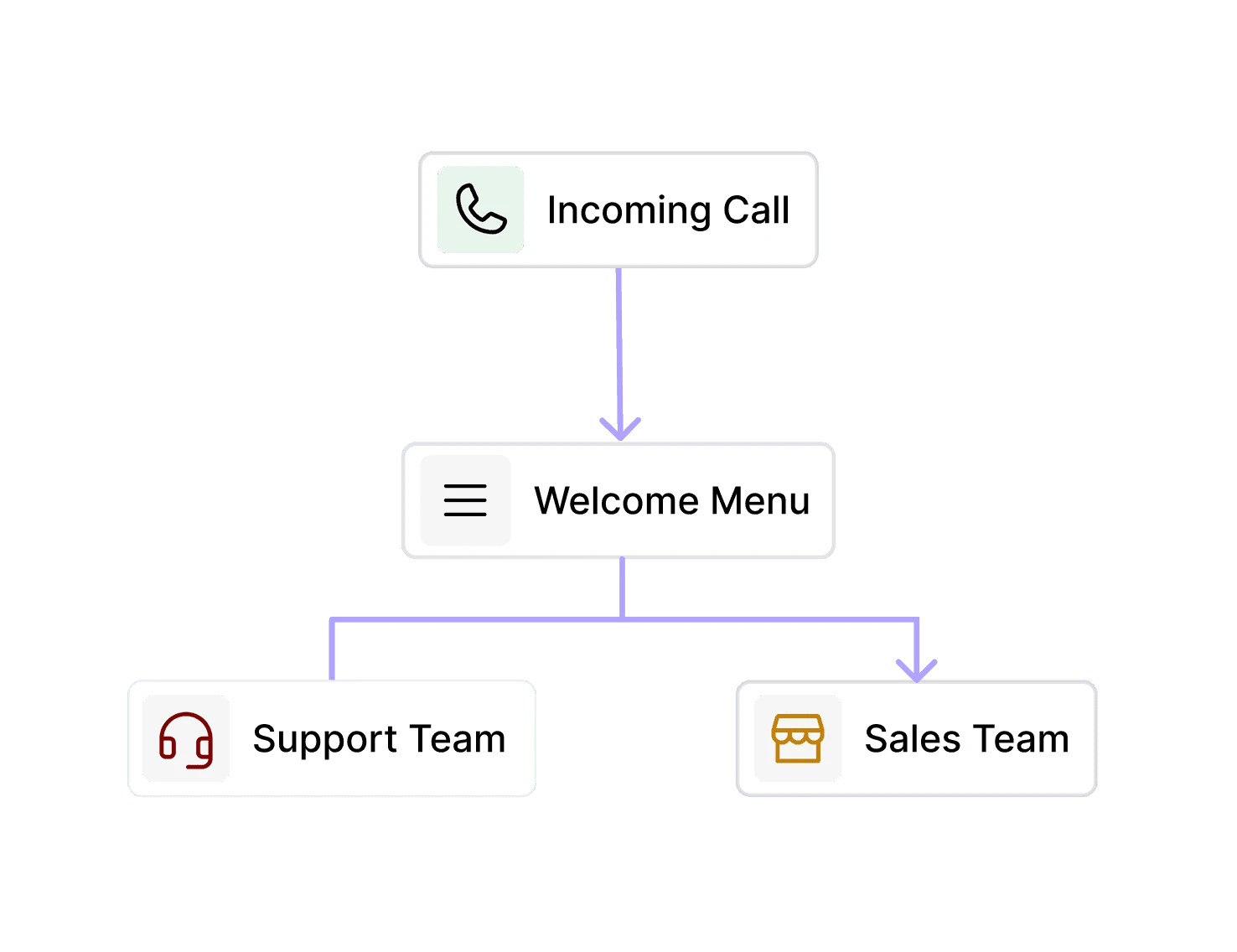
Handle calls 24/7 without staffing around the clock

Keep your business responsive when you're open and closed. When your team is busy and when they're not.

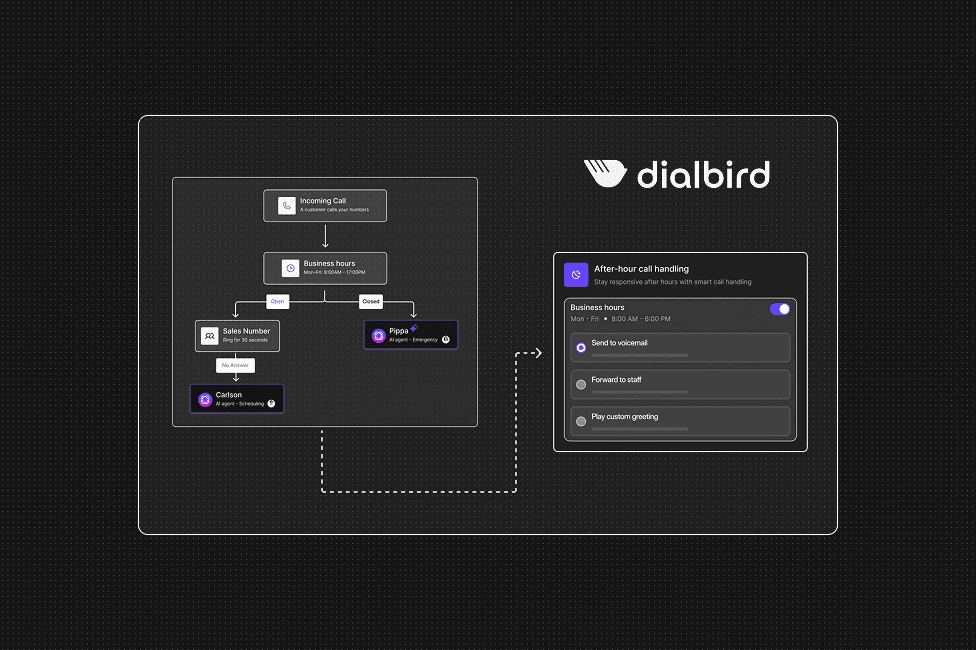
Dialbird helping businesses answer calls around the clock with AI call handling outside normal working hours.

Trusted by 500+ modern businesses

dialbird customer logo of Worldwide clinical trialsdialbird customer logo of Kopedialbird customer logo of tunic paydialbird customer logo of posthogdialbird customer logo of StackOne

Stay Available Whenever Customers Call

Evenings

Keep answering calls after the working day ends.

Weekends

Stay reachable without scheduling weekend staff.

Holidays

Give callers a helpful response even when your team is away.

Busy periods

Let AI handle extra call volume when your team is occupied.

Call overflow

Pick up calls that would otherwise wait or go unanswered.

No one available

Keep callers moving forward when nobody can take the call.

Calls Keep Coming, Even When Your Team Is Off

  1. Calls Go Unanswered

    After-hours and overflow calls can easily be missed when no one is available.

  2. Customers Are Left Waiting

    Callers may have to leave a voicemail or try again later.

  3. Opportunities Get Missed

    A potential customer may move on if they cannot reach your business.

Dialbird showing the impact of unanswered after-hours calls, including waiting customers and missed business opportunities.

Let AI handle the calls your team can't

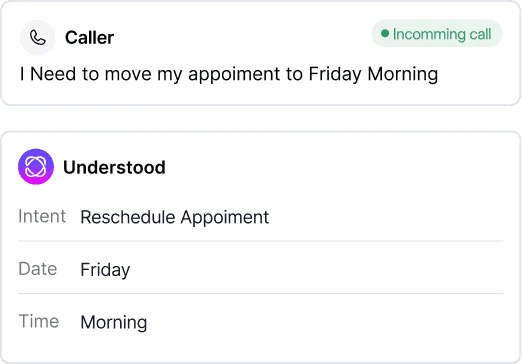
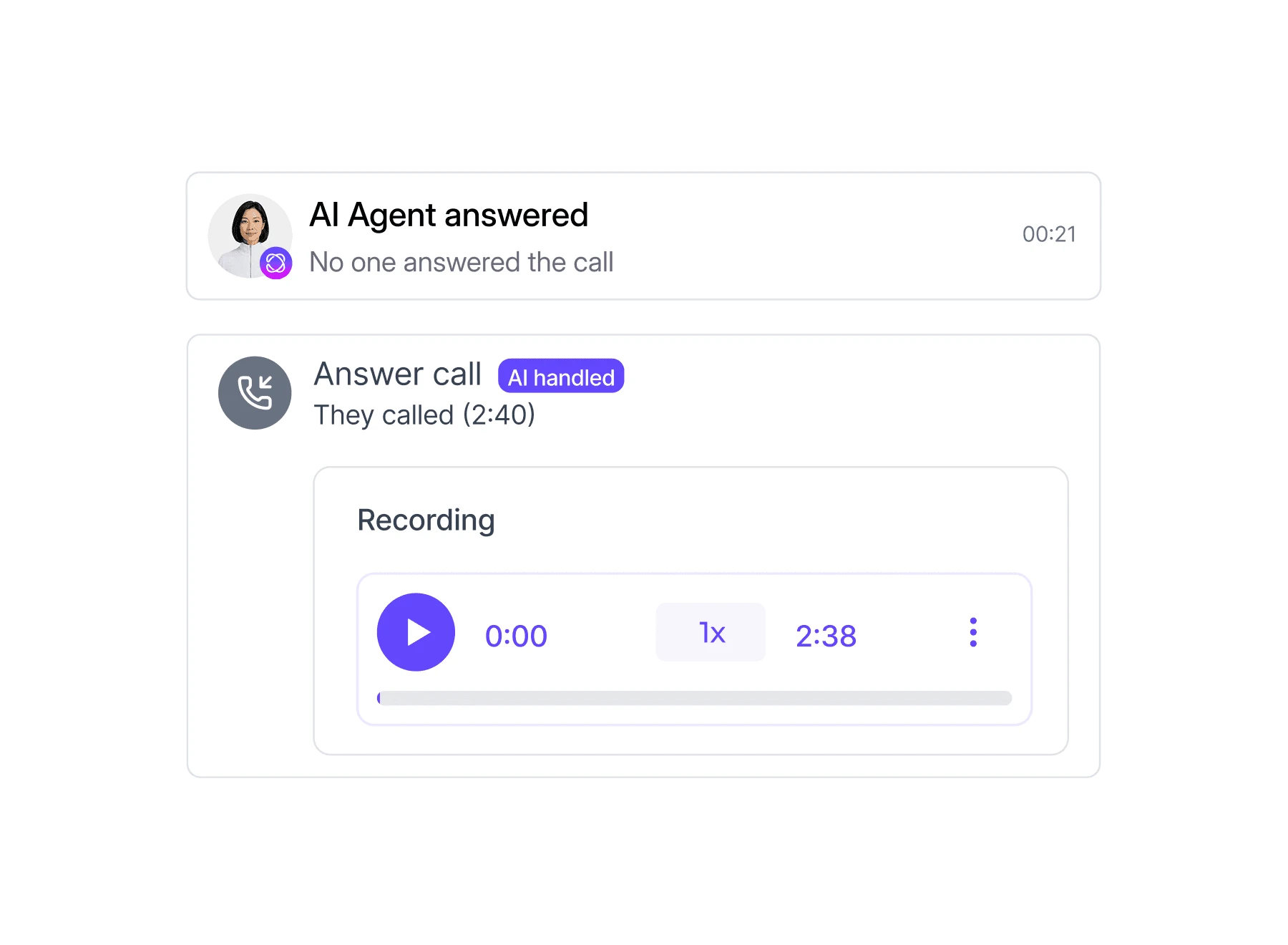
Dialbird AI steps in when your team is unavailable. It answers incoming calls, understands what each caller needs, and takes the right next step so conversations can keep moving.
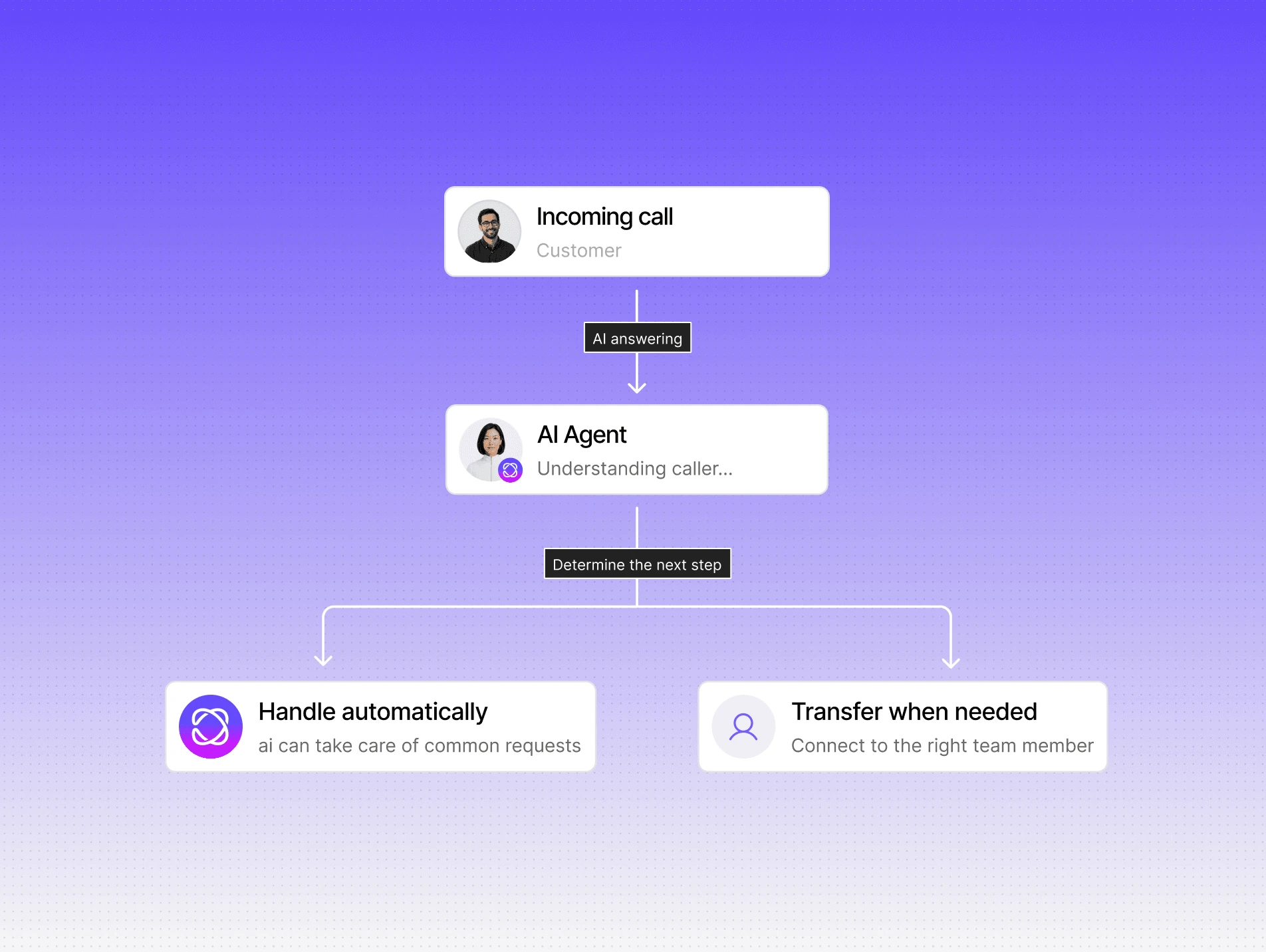
  1. 01Answer Immediately
  2. 02Understand Every Call
  3. 03Take the Next Step
  4. 04Bring In Your Team
Dialbird AI answering an after-hours customer call, understanding the caller’s needs, handling routine requests, or transferring the call to the right team member.

Keep Every Call Moving Forward

Give callers the help they need, even when your team is not available to answer.

Answer Incoming Calls

Answer callers straight away, including after hours, on weekends, and during busy periods.
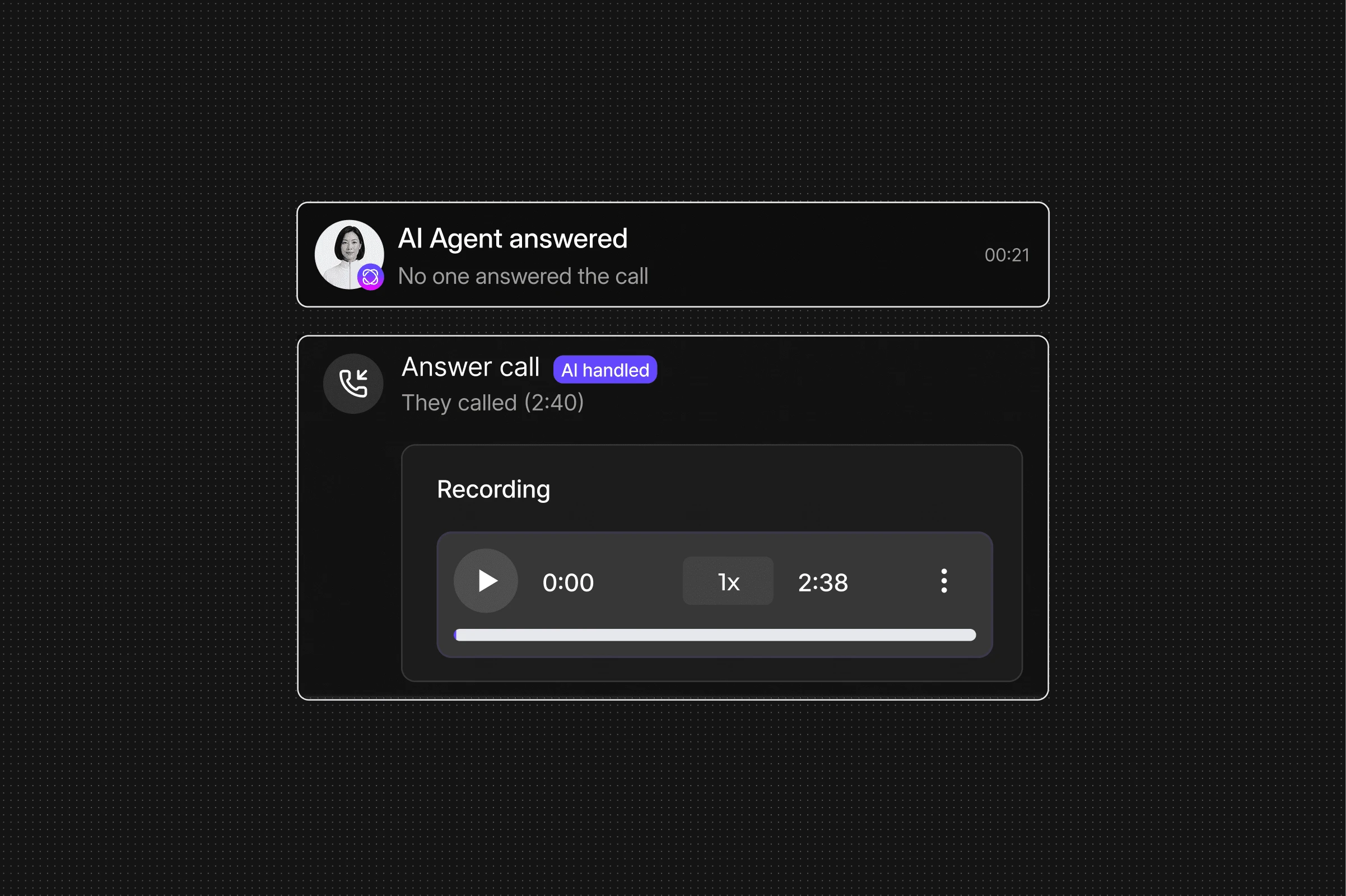
Dialbird AI answering incoming calls automatically, including after hours, weekends, and busy periods.

Handle Common Questions

Answer common questions about your services, hours, locations, and business.
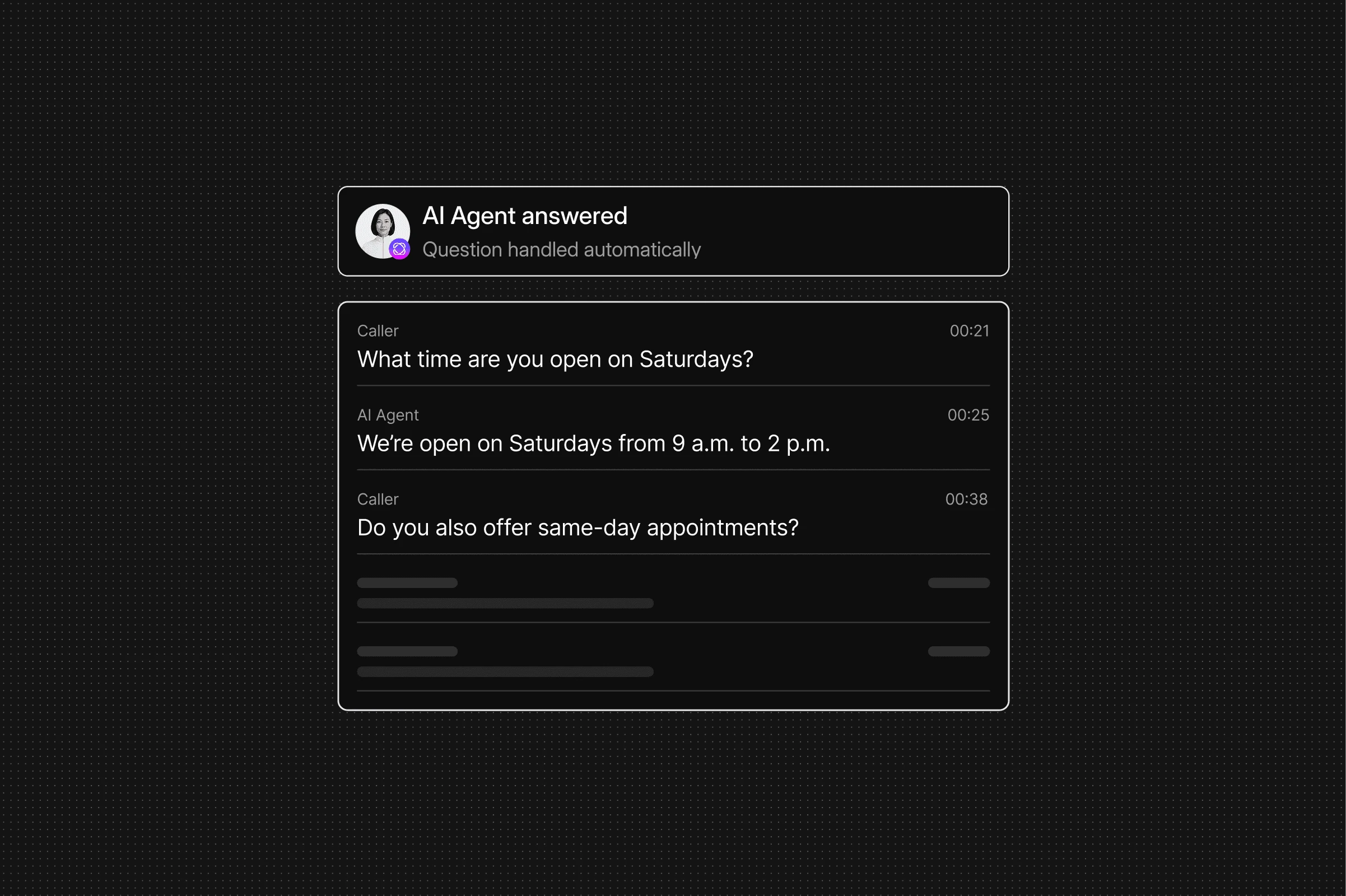
Dialbird AI answering common customer questions about services, opening hours, locations, and other business information.

Capture Caller Information

Collect names, contact details, reasons for calling, and other information your team may need.
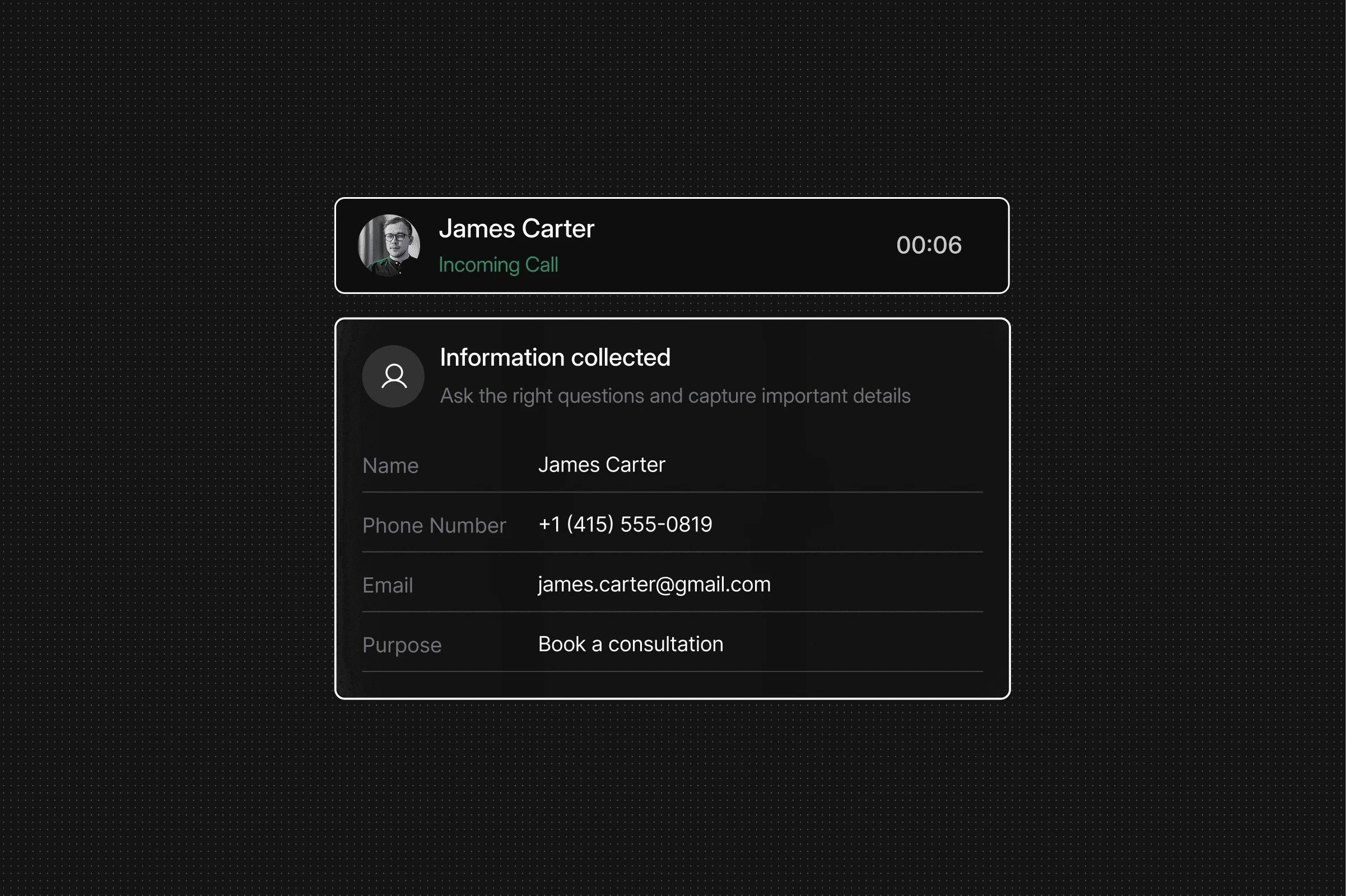
Dialbird AI collecting caller names, contact details, and the reason for the call so the team has the information it needs.
Dialbird AI helping callers book appointments during the call without waiting for a team member to become available.

Schedule Appointments

Help callers book appointments during the call without waiting for a team member to become available.

Qualify Enquiries

Ask relevant questions to understand the caller’s needs and identify which enquiries require follow-up.
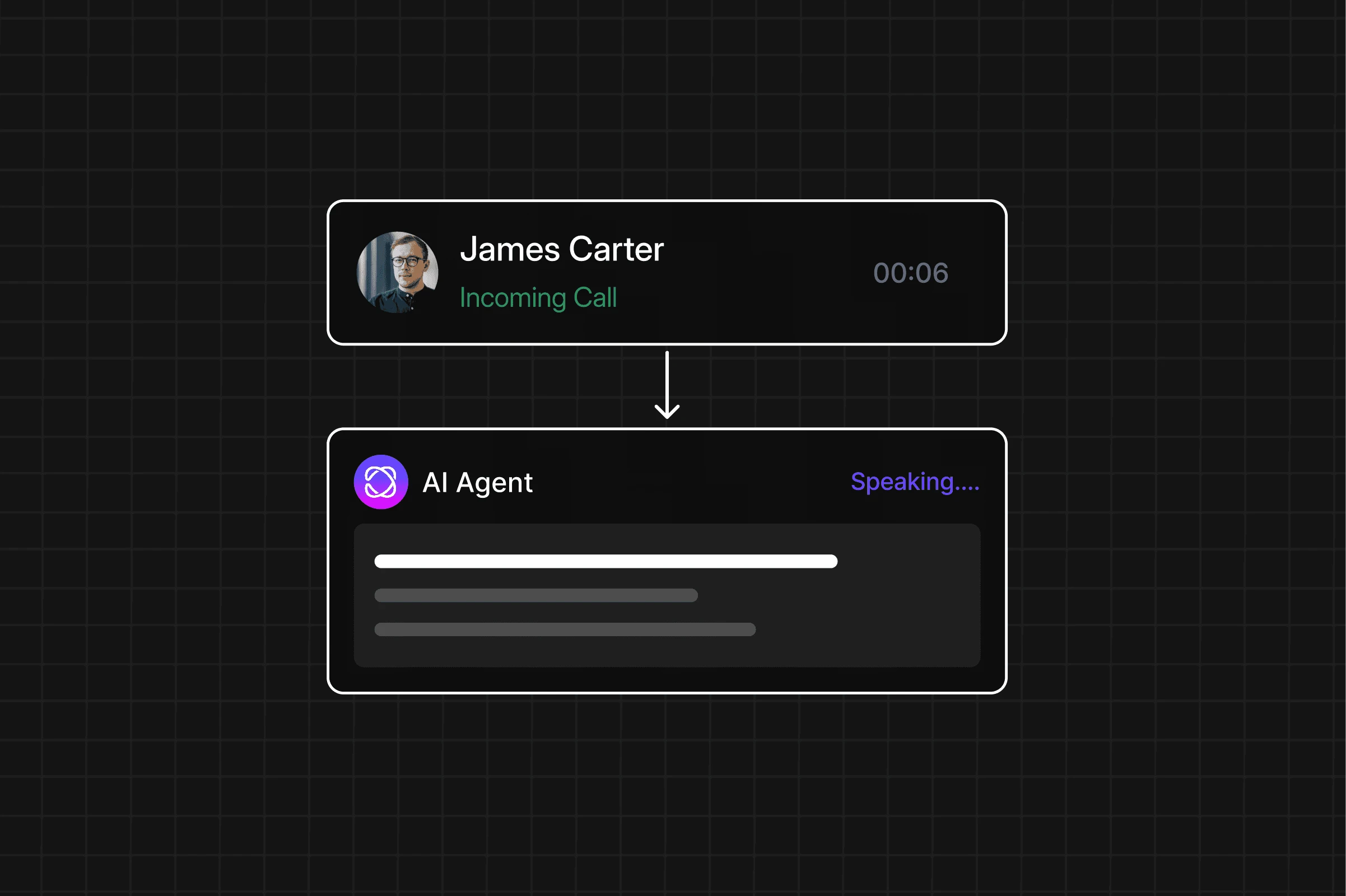
Dialbird AI asking relevant questions to qualify enquiries and identify which calls need follow-up.

Escalate Urgent Calls

Recognise urgent situations and route priority calls based on the escalation rules you set.
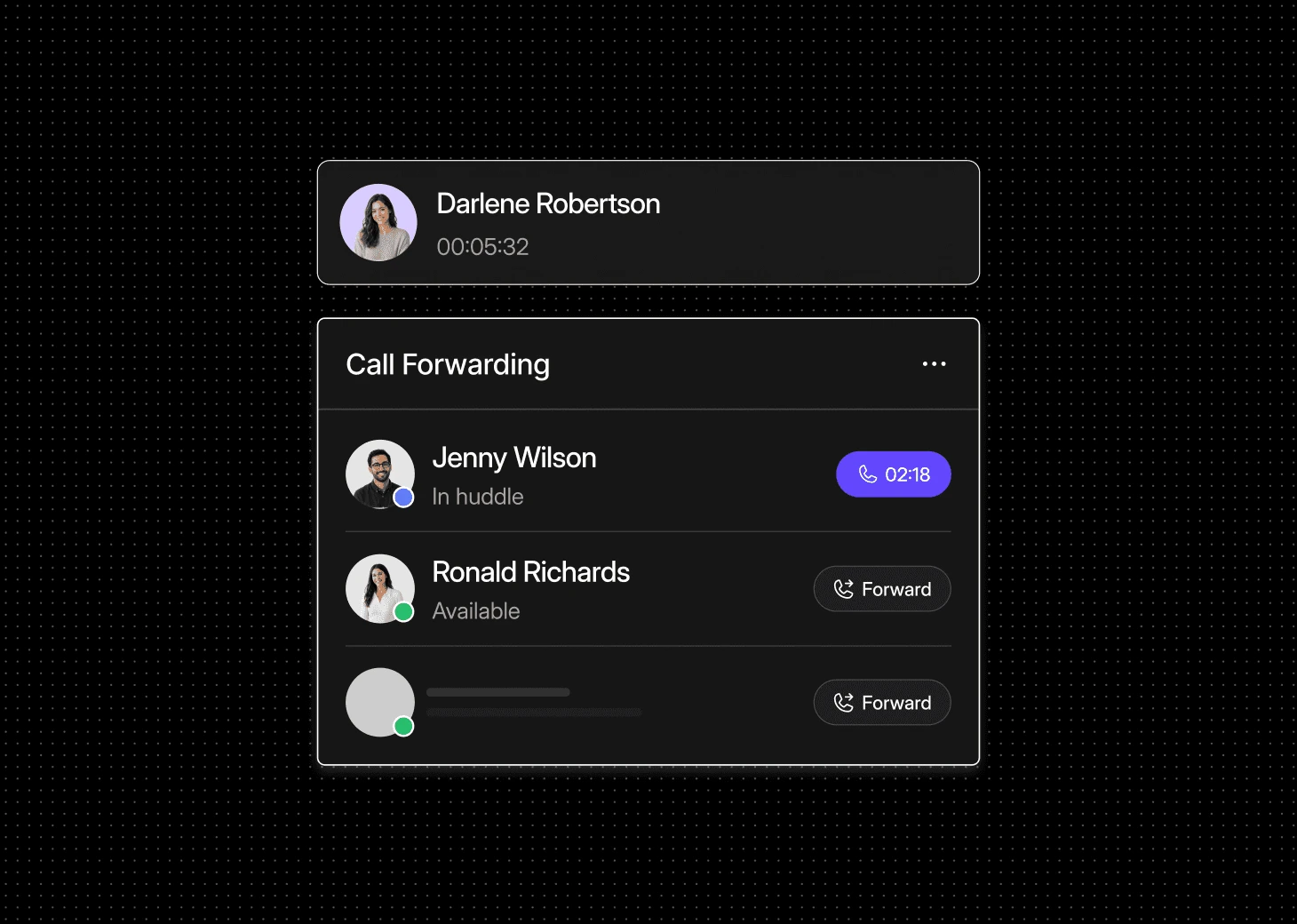
Dialbird AI recognising urgent calls and routing them based on escalation rules so they reach the right person quickly.

Transfer Calls When Needed

Connect callers with the right team member when the conversation requires human support.
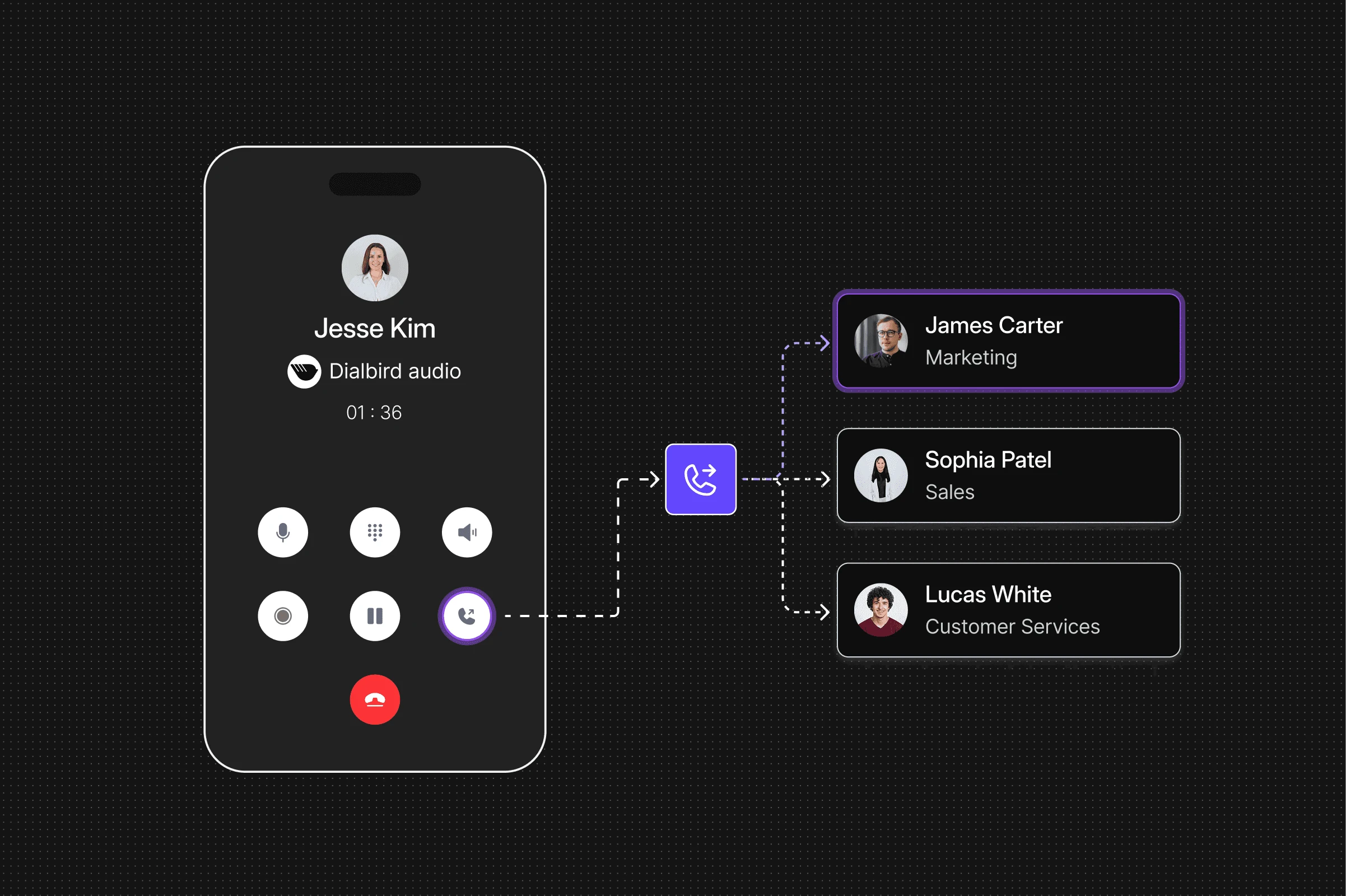
Dialbird AI transferring calls to the right team member when a conversation needs human support.

AI That Knows How to Handle Every Call

Dialbird AI showing how business calls are handled using company knowledge, custom instructions, call actions, and human handoff when needed.
  1. 1

    Use Your Business Knowledge

    Answer questions using the information you provide about your business.

  2. 2

    Follow Your Instructions

    Set clear rules for how different types of calls should be handled.

  3. 3

    Take the Right Action

    Capture details, book appointments, qualify enquiries, or route the call.

  4. 4

    Know When to Hand Off

    Transfer callers to your team when a conversation needs human support.

From Missed Calls to 24/7 Coverage

Before

  • Calls Go UnansweredEvening, weekend, and overflow calls can easily be missed.
  • Customers Have to WaitCallers leave a voicemail or try again later.
  • Urgent Calls Get DelayedImportant enquiries may not reach the right person quickly.
  • Longer Coverage Means More StaffExtending availability often requires additional staffing.

After

  • Customers Get Help Straight AwayQuestions, bookings, and enquiries can be handled during the call.
  • Calls Are Answered 24/7AI responds whenever your team cannot.
  • Urgent Calls Reach the Right PersonPriority calls can be escalated or transferred automatically.
  • Stay Available Without Extra ShiftsExtend call coverage without staffing the phone around the clock.

Keep Your Business Reachable 24/7

Manage business calls with Dialbird and extend the way your business communicates beyond working hours with AI and automation.

Features That Support This Use Case

See all features

Frequently Asked Questions

How does Dialbird AI answer calls outside business hours?

Dialbird AI can answer calls during evenings, weekends, holidays, or whenever your team is unavailable. It can understand what the caller needs and take the next appropriate action.

What can Dialbird AI do with after-hours calls?

It can answer common questions, collect caller details, book appointments, qualify enquiries, or transfer the call when needed.

How does Dialbird AI handle common customer questions?

The AI agent uses the business information you provide to answer questions about your services, opening hours, locations, and other common enquiries.

Can Dialbird AI book appointments after hours?

Dialbird AI can help callers schedule appointments during the call, even when your team is unavailable.

How does Dialbird AI qualify new enquiries?

The AI agent can ask relevant questions to understand the caller’s needs, collect useful details, and identify which enquiries need follow-up.

How are urgent calls handled after hours?

You can set escalation rules so urgent or high-priority calls are routed or transferred to the appropriate person.

When does Dialbird AI transfer a call to a team member?

Calls can be transferred when the caller needs human support or when specific conditions in your call-handling rules are met.

Can I control how Dialbird AI handles different calls?

Yes. You can configure the AI with your own instructions, business information, transfer rules, and call-handling preferences.

Can Dialbird AI be used only for after-hours or overflow calls?

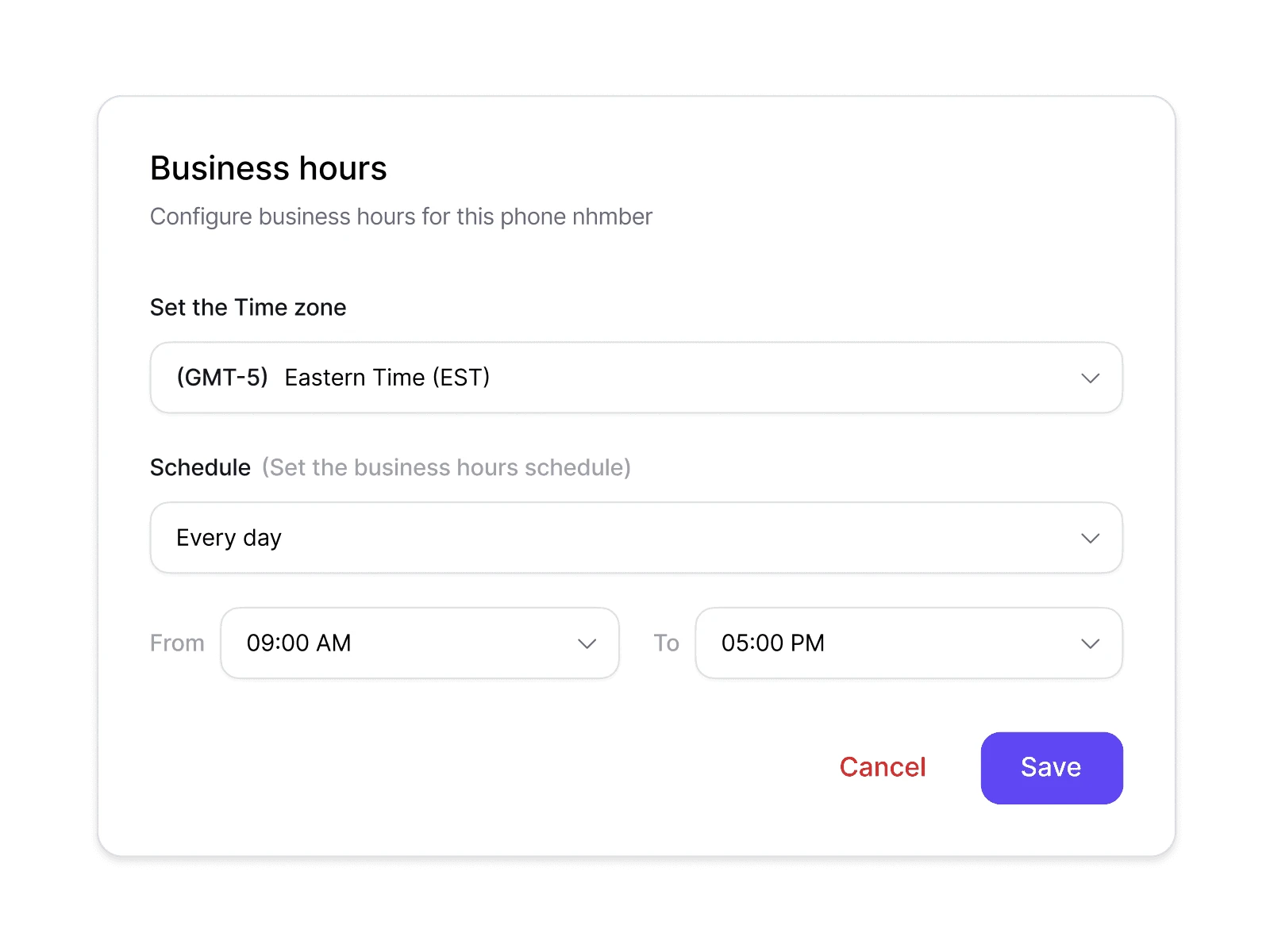
Yes. You can choose when the AI answers, such as after hours, on weekends, during busy periods, or when no team member is available.

How does Dialbird AI support my team without replacing them?

AI handles routine and unattended calls first, while your team can step in whenever a conversation requires human support.