The business phone system you can shape around your business

The business phone system you can shape around your business

The next-gen business phone system where AI agents and your team work together and win business together.
The next-gen business phone system where AI agents and your team work together and win business together.

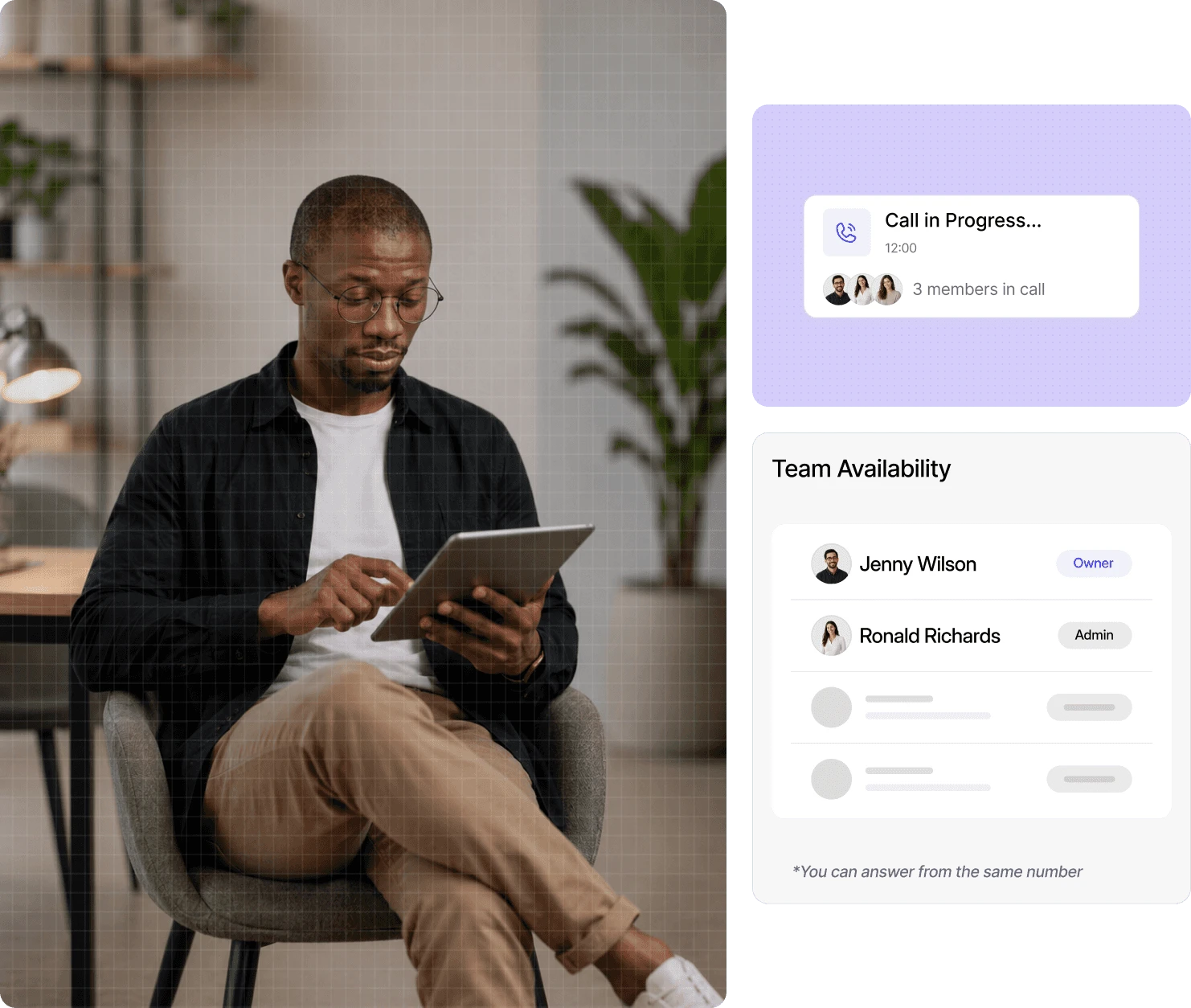
Dialbird business phone system showing a live team call, shared number access, and team availability across the workspace.

Everything you need in a modern
business phone system

Everything you need in a modern business phone system

The calling and texting features your team uses every
day and the control to make them work your way.

The calling and texting features your team uses every day and the control to make them work your way.

The calling and texting features your team uses every
day and the control to make them work your way.

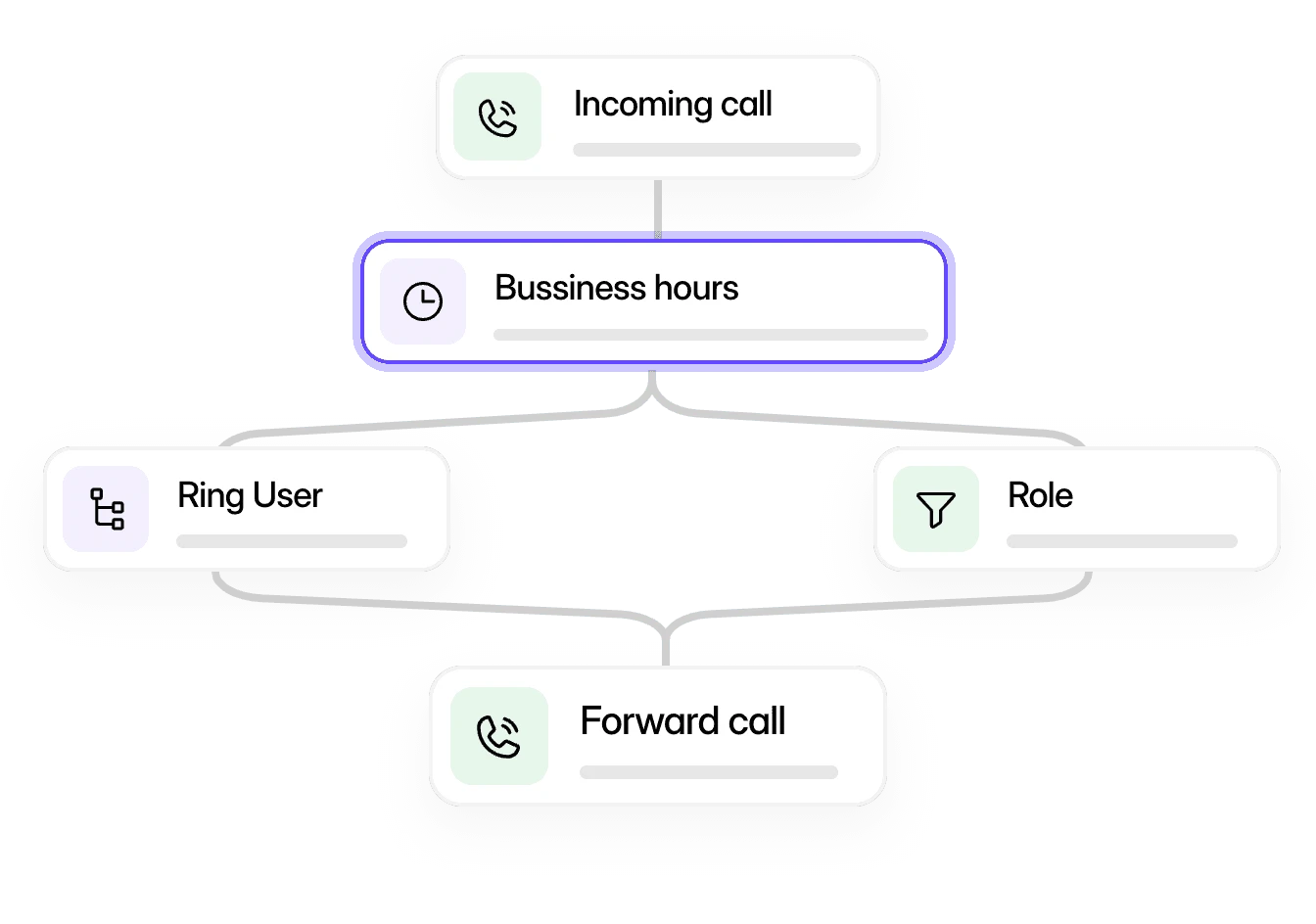
Dialbird call flow builder routing incoming calls through business hours, ring users, rules, and call forwarding.

Build the rules for every call

Control how calls flow through your business with a simple visual builder.
Control how calls flow through your business with a simple visual builder.

Text customers, not just call them

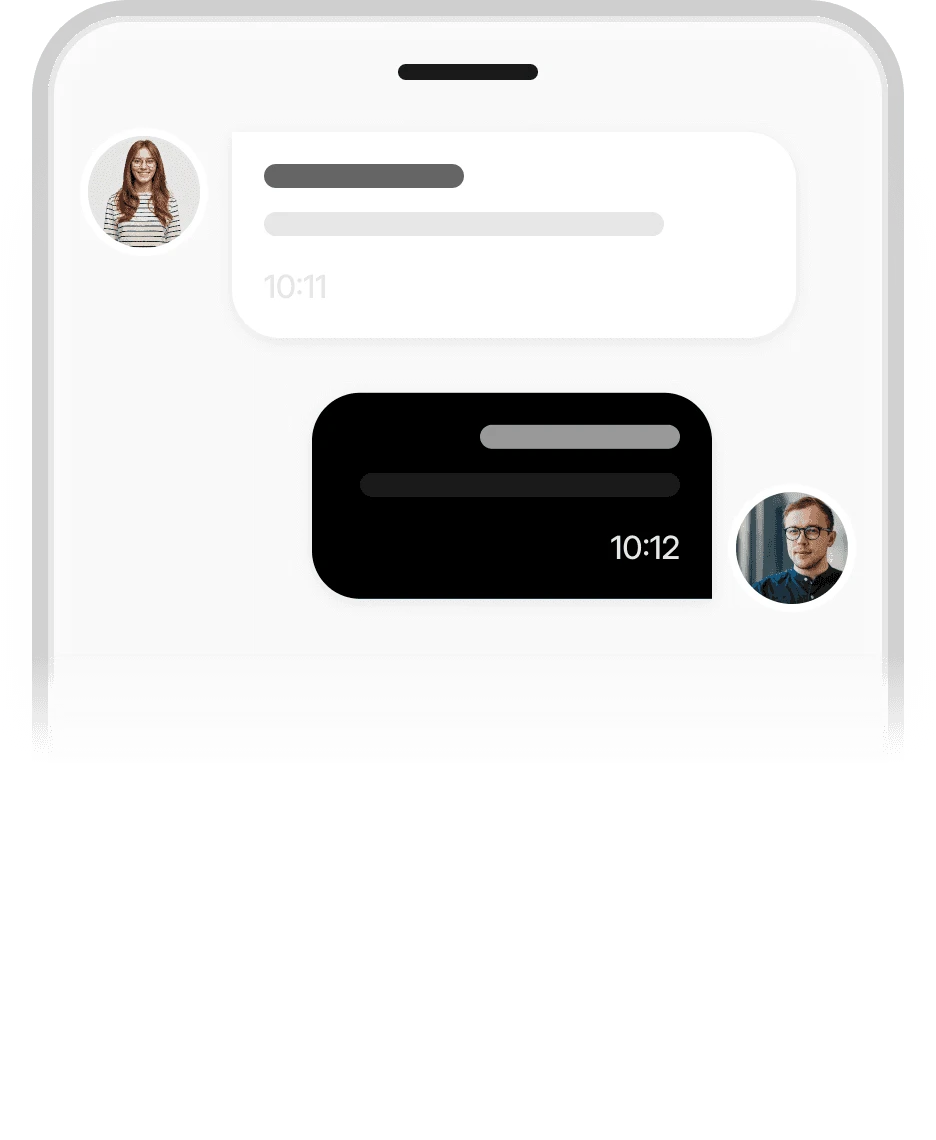
Let your team reply to customers from the same shared business numbers, without losing visibility or control.
Let your team reply to customers from the same shared business numbers, without losing visibility or control.

Dialbird business messaging showing customer conversations managed from one shared business number.
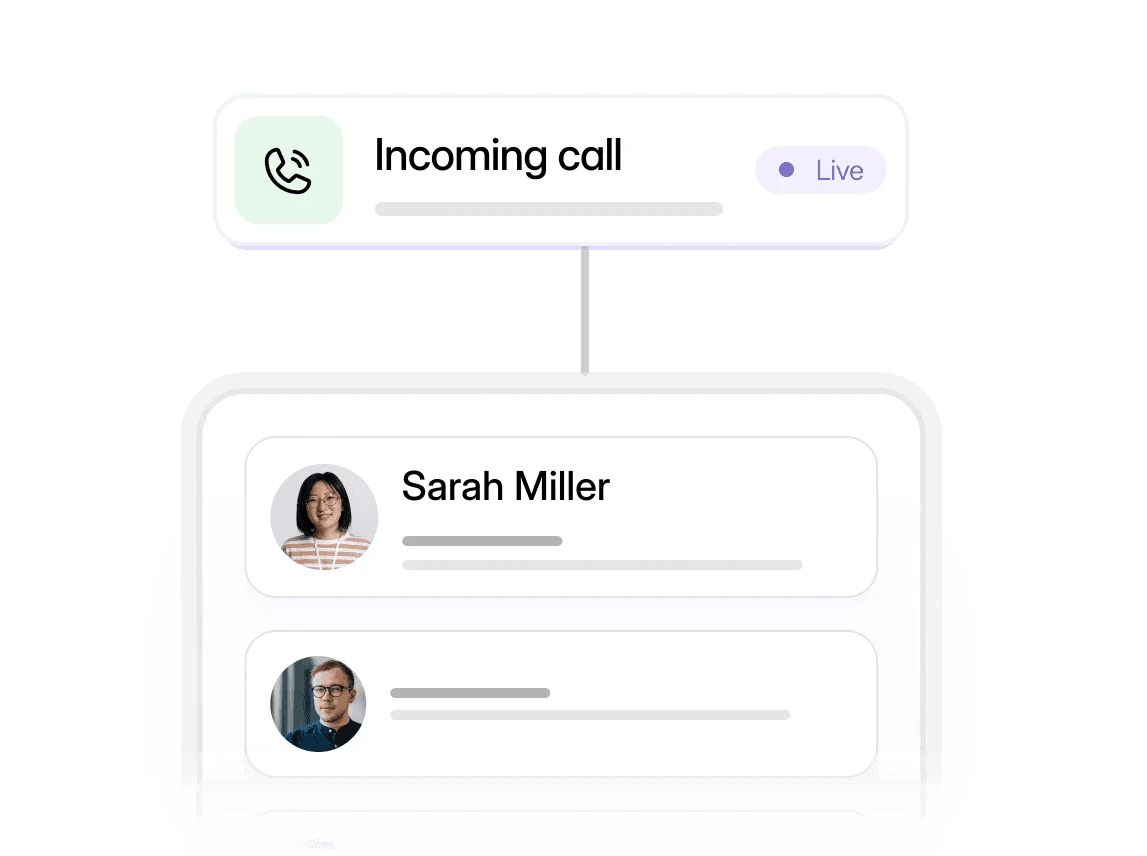
Dialbird automatically routing incoming calls based on caller details, time of day, and team availability.

Send each caller to the right place

Automatically route calls based on who's calling, the time of day, team availability and more.

Business doesn't stop calling, who’s answering?

Place AI phone agents anywhere in your call flow to answer calls, handle enquiries, schedule appointments, route callers, or warm-transfer them to a teammate.

You choose which calls AI handles and the rules it follows. Use it where it adds value, while your team stays in control.
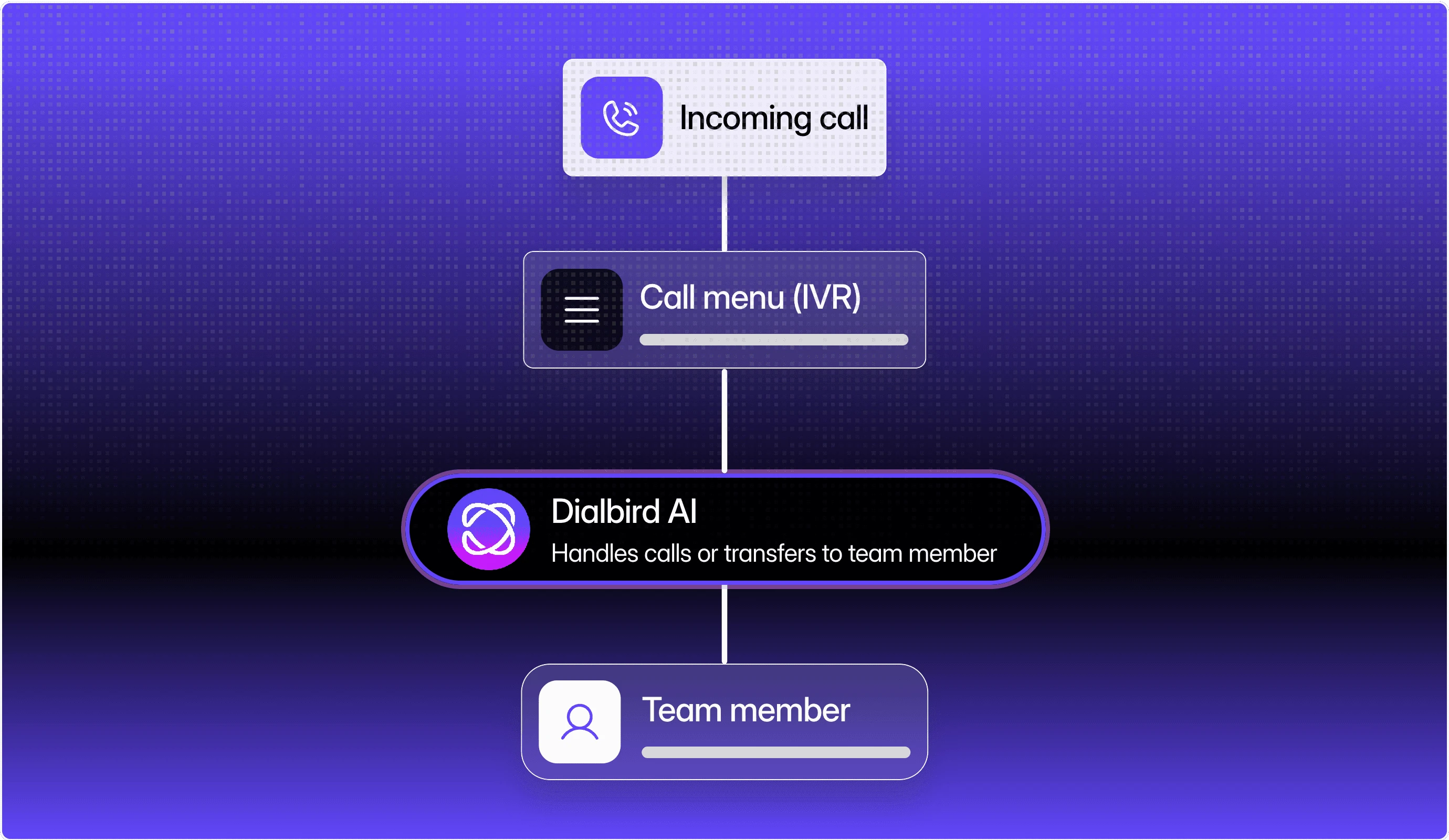
Dialbird AI handling incoming calls through IVR and transferring callers to a team member when human support is needed.

Clear calls wherever your team works

Make and take calls from the web app, iPhone, or Android the same line, in sync across all of them

Make and take calls from the web app, iPhone, or Android the same line, in sync across all of them

One business number across every device

One business number across every device

Stay connected wherever you work

Stay connected wherever you work

Seamlessly synced in real time

Seamlessly synced in real time

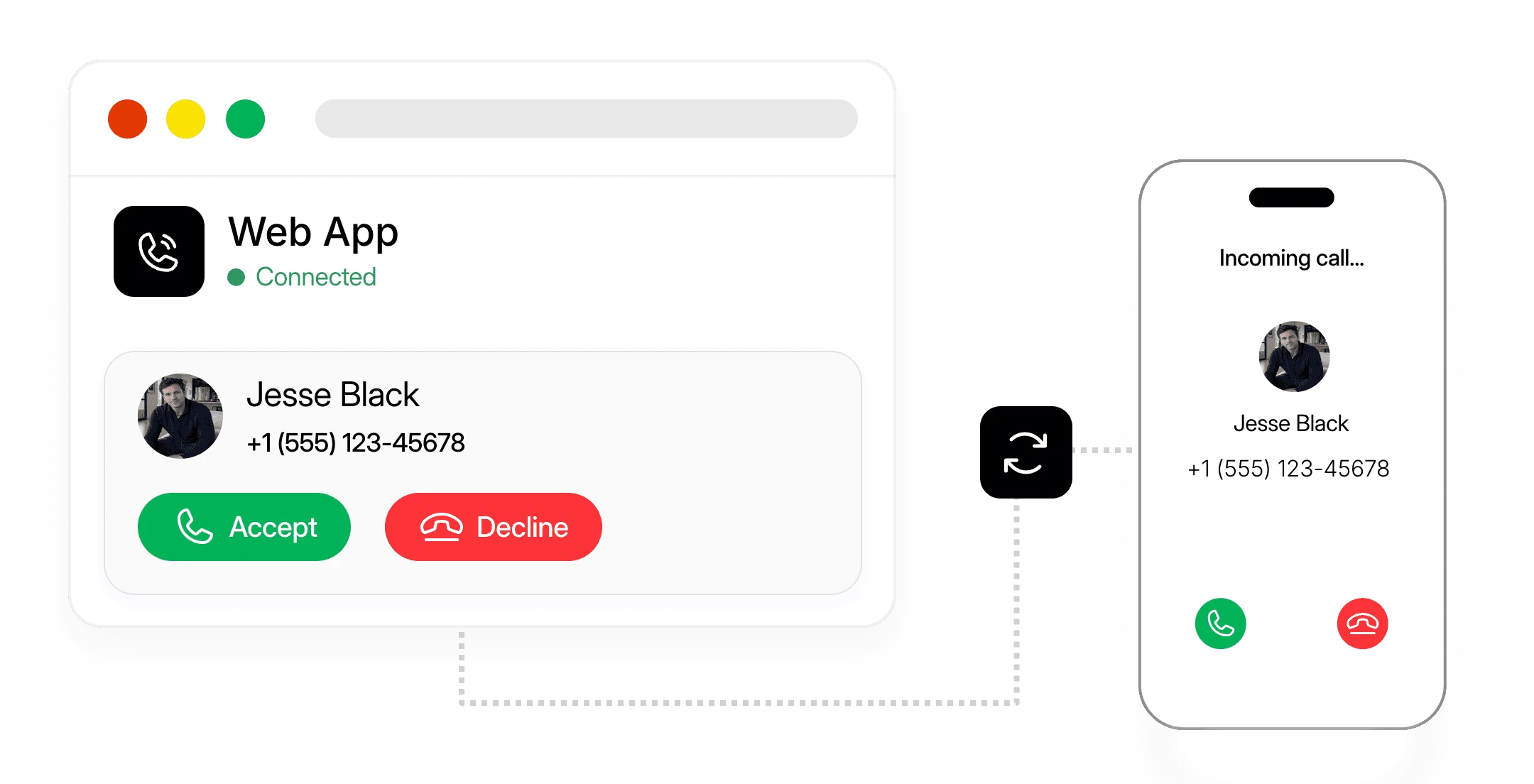
Dialbird syncing incoming business calls between the web app and mobile phone so teams can answer from any device.
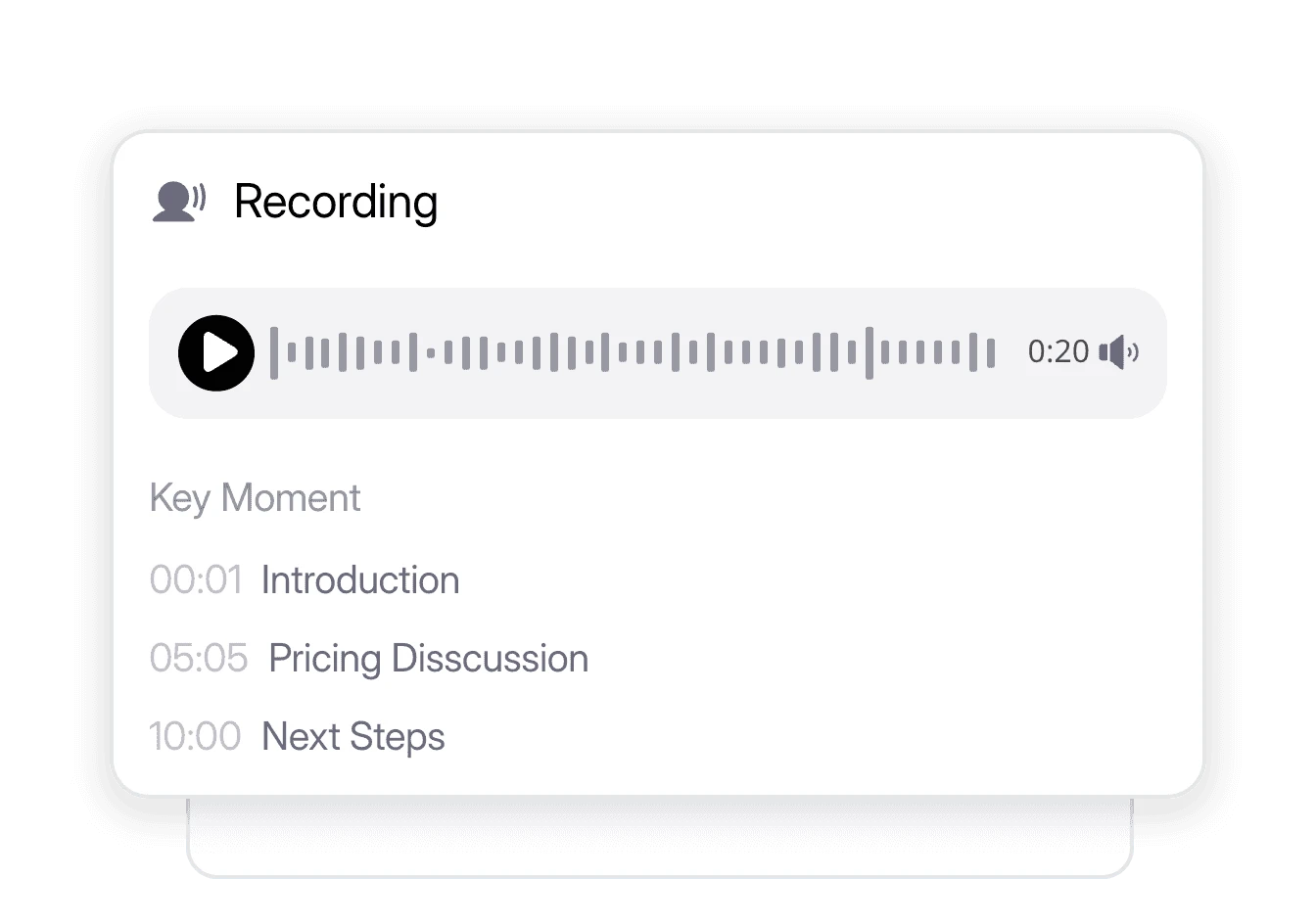
Dialbird recording business calls and showing key moments for easier review, training, and quality control.

Keep a record of the calls that matter

Record calls for training and quality, and find them again when you need

Record calls for training and quality, and find them again when you need

Local and mobile business lines in minutes

Get a new business number, or bring your current one across.
Get a new business number, or bring your current one across.

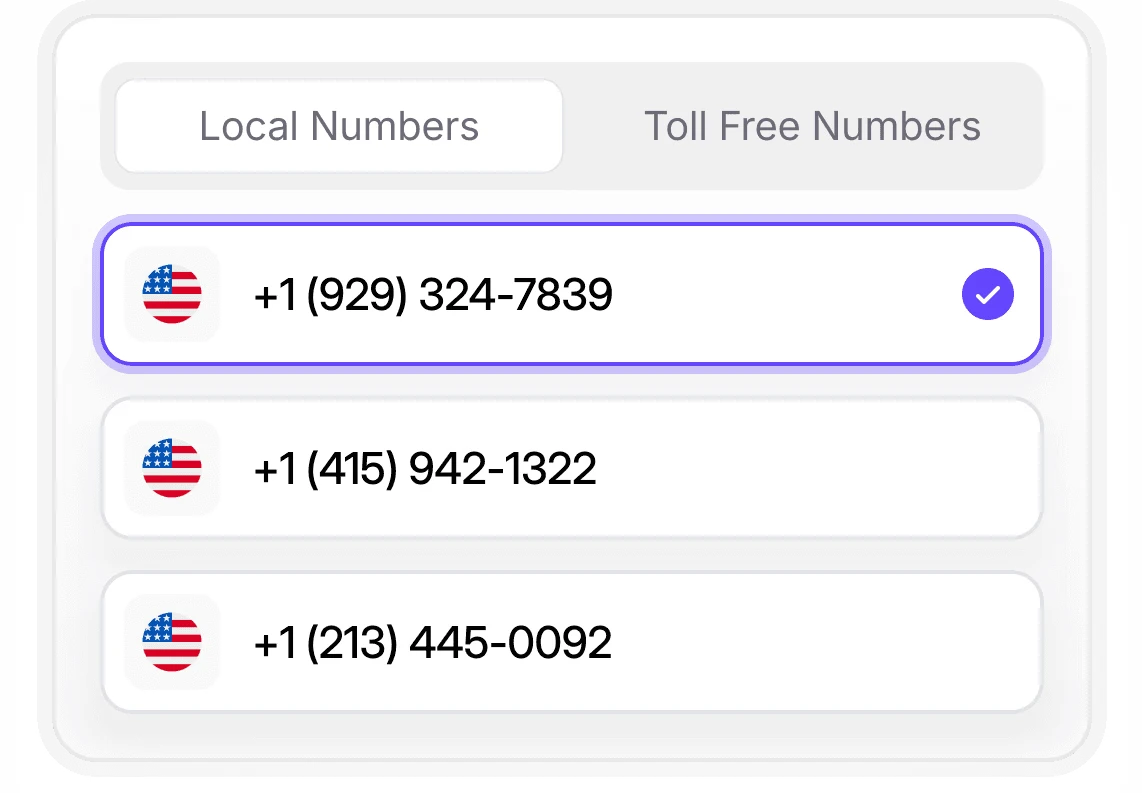
Dialbird showing available local and toll-free business numbers that can be selected and activated quickly.
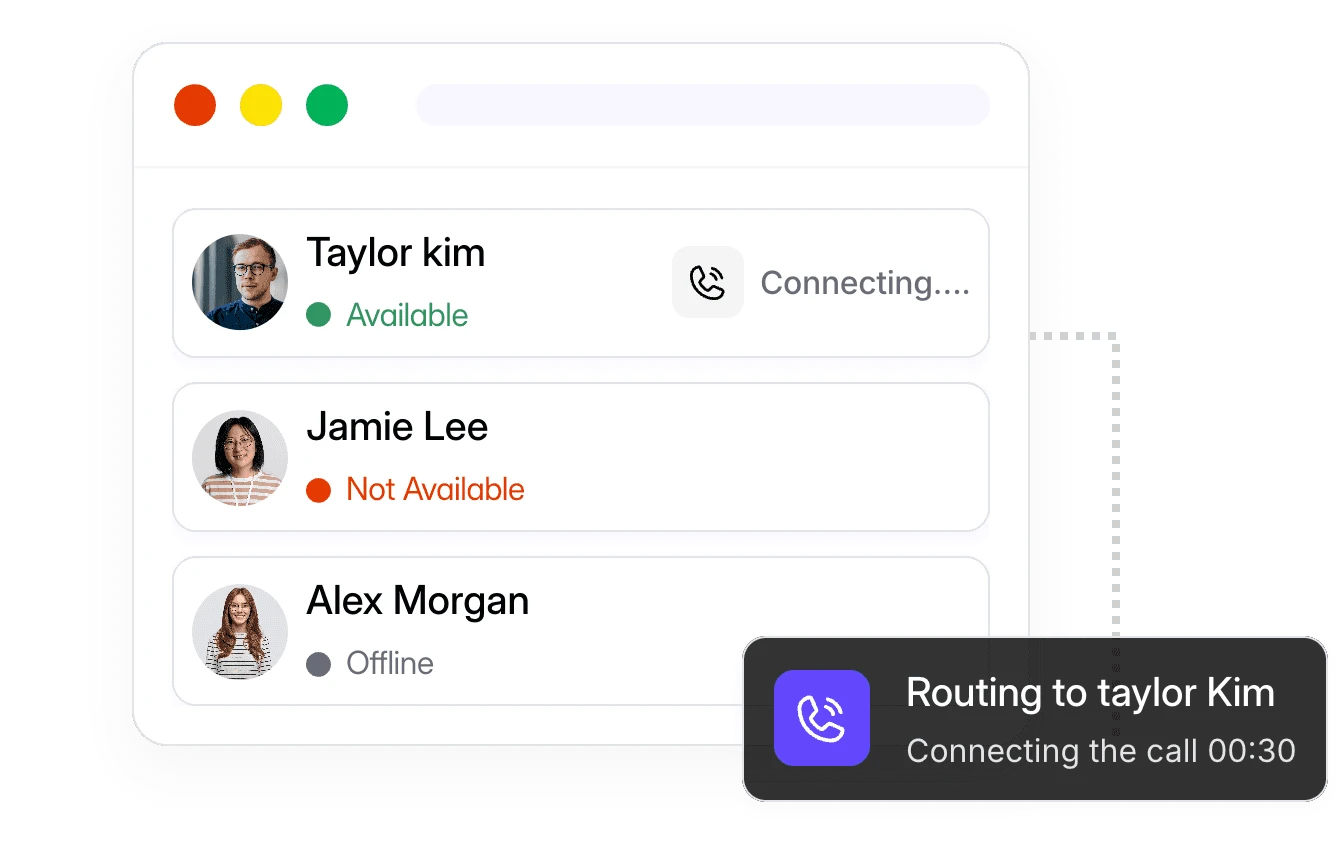
Dialbird routing incoming calls only to available team members while skipping users who are offline or already on a call.

Only ring the people who are free

Only ring the people who are free

Calls skip anyone who's offline or already on a call, so they land with someone who can actually pick up.

Calls skip anyone who's offline or already on a call, so they land with someone who can actually pick up.

Dialbird company logo

What is a business phone system

A business phone system gives your team one place to handle calls, texts, and voicemail. Instead of relying on desk phones or outdated landlines, Dialbird works in the cloud, so your team can stay connected from anywhere and decide exactly how calls should be handled.

Decide what happens on every call.

With the Call flow builder, you map out exactly what happens when someone calls. Set your business hours. Ring one person, a team, or several at once, and choose how long the phone rings before it moves on. Route by menu, forward to a teammate or an outside number, and send after-hours calls to voicemail with the right greeting. You drag the steps into place, publish, and your rules go live.
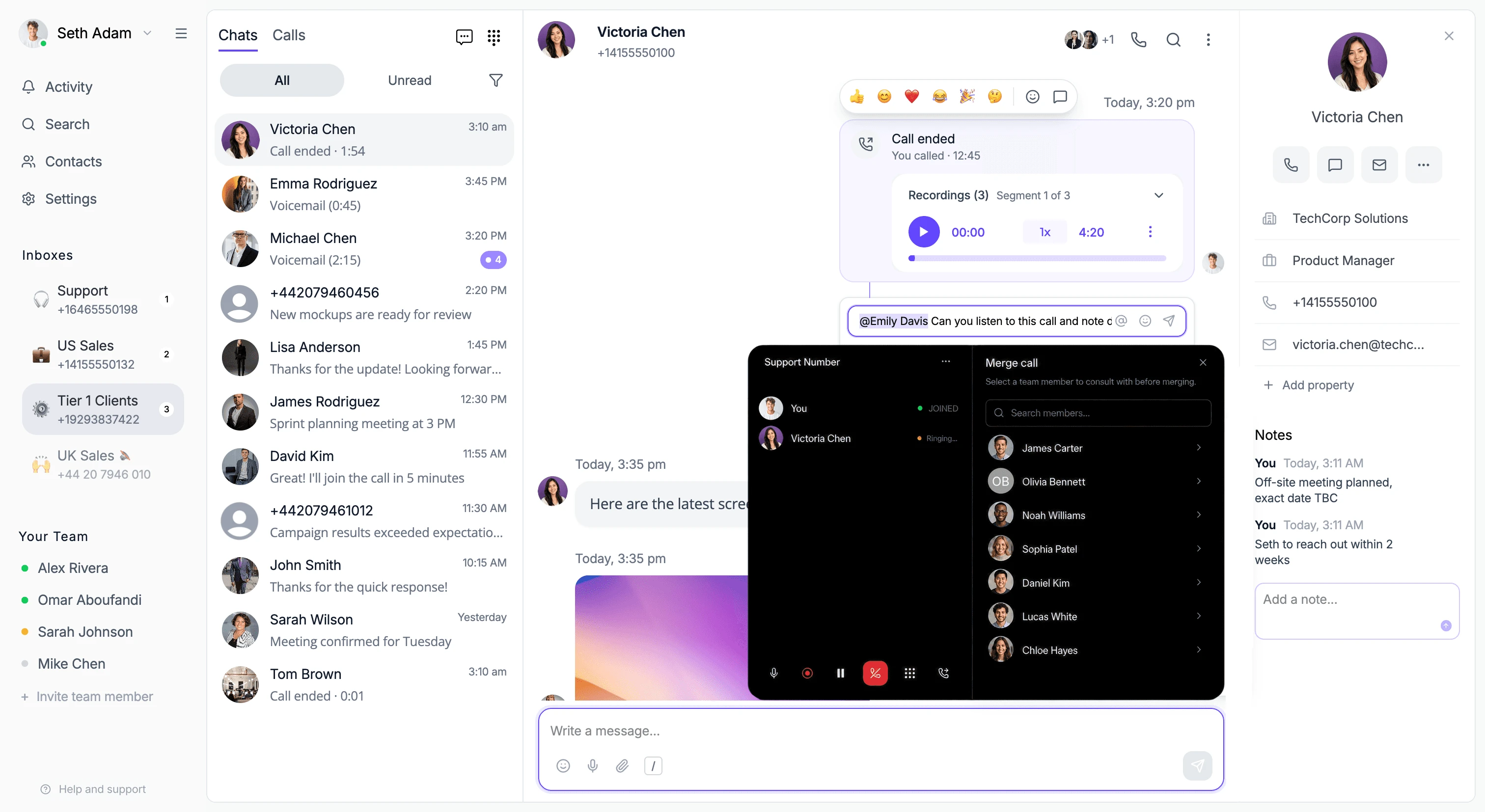
Dialbird workspace showing shared inboxes, customer conversations, call recordings, contact notes, and a live call being merged with another team member.

Bring teammates in or hand calls off smoothly.

Some calls need more than one person. Bring a teammate into a live call, warm-transfer with an introduction, or pass it straight over with a call transfer.
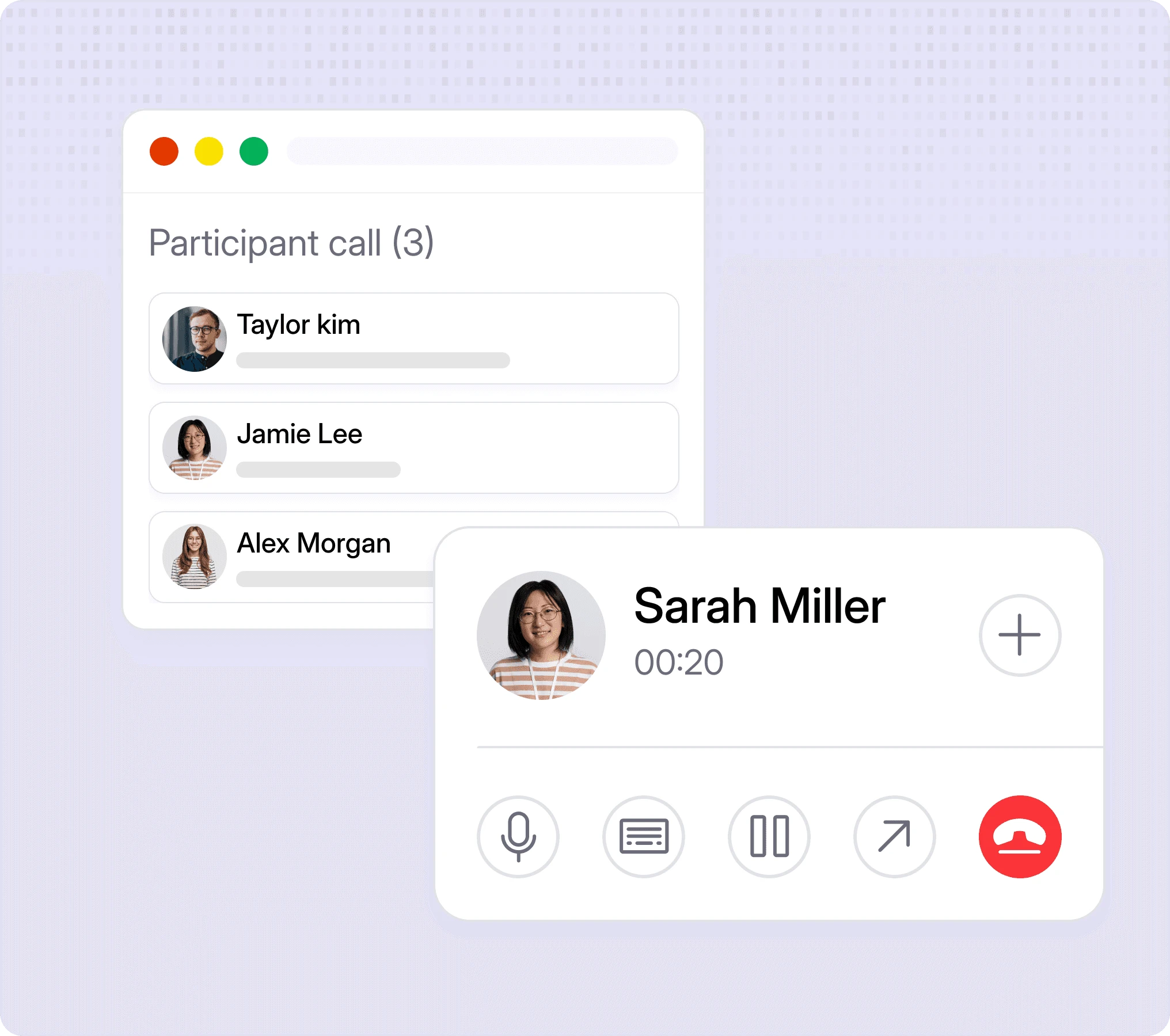
Dialbird conference calling showing multiple participants on one live call with controls to add, merge, or transfer teammates.
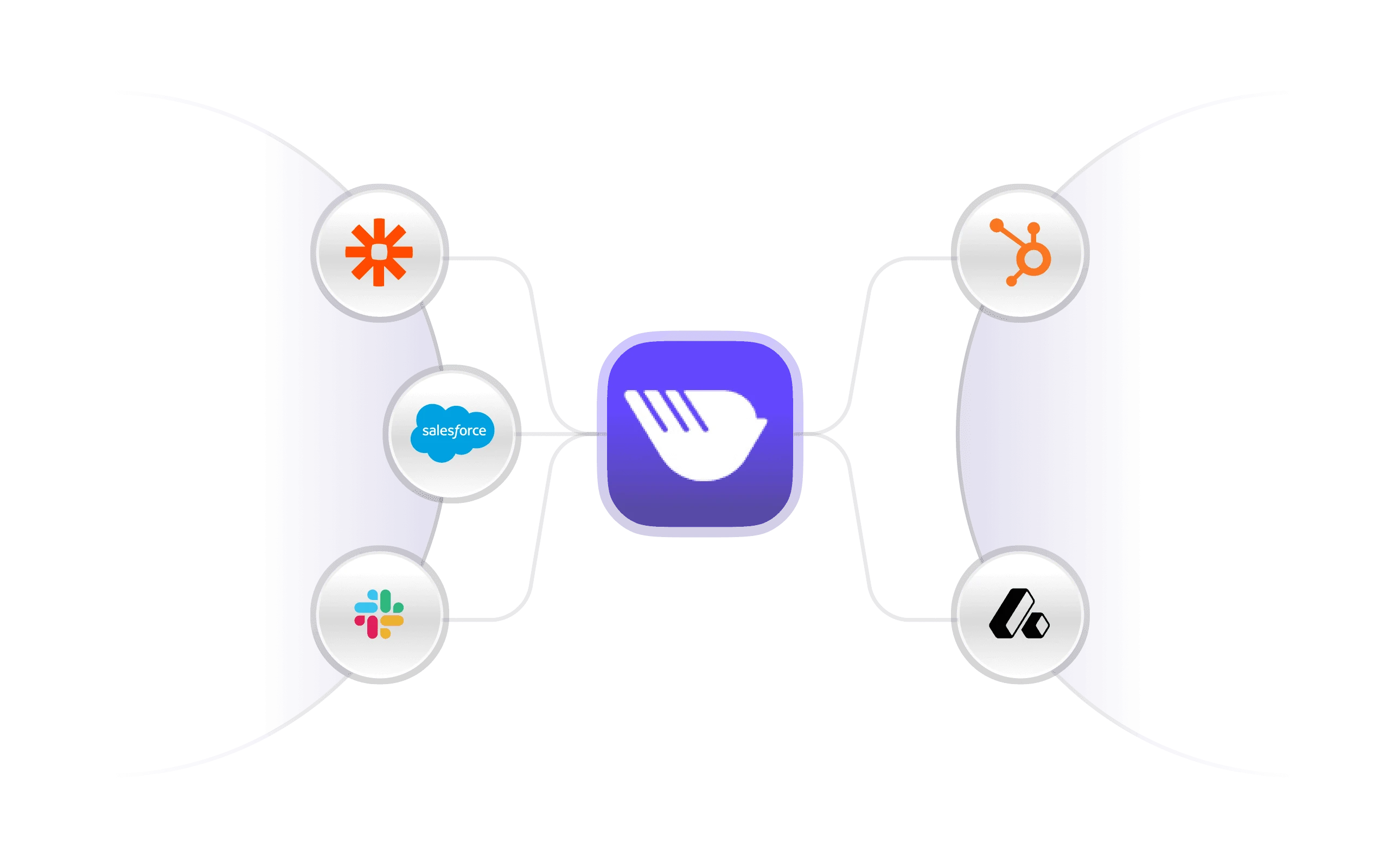
Dialbird integrations connecting business calls, contacts, and conversations with the tools your team already uses.

Fits into the tools you already use.

Connect Dialbird to the tools your team works in, so contacts and conversations stay in sync and follow-ups don't fall through the cracks

Connect Dialbird to the tools your team works in, so contacts and conversations stay in sync and follow-ups don't fall through the cracks

Made for teams that live on the phone

Small teams sharing one line:

a few people answering the same business number, who need to see each other's calls and texts so nothing slips.

Service businesses with set hours:

teams that want calls handled one way during the day and another after hours, automatically.

Growing companies:

businesses adding people and numbers who want call rules that keep up without IT.

Up and running in four steps.

Step 1
Step 1
Get your number
Get your number

Claim a free business number, or bring the one you already use.

Claim a free business number, or bring the one you already use.

Step 2
Step 2
Invite your team
Invite your team

Add the people who answer calls and share your numbers with them.

Add the people who answer calls and share your numbers with them.

Step 3
Step 3
Build a call flow
Build a call flow

Set your hours and rules so every call goes to the right place.

Set your hours and rules so every call goes to the right place.

Step 4
Step 4
Start talking
Start talking

Take calls and texts from the web app or your phone.

Take calls and texts from the web app or your phone.

Frequently Asked Questions

Frequently Asked Questions

What is a business phone system?

It's how your whole team makes and takes calls, sends texts, and handles voicemail under one set of business numbers. A modern one runs over the internet, so you can use it on your computer and phone from anywhere no desk phones or wiring.

Can I use Dialbird on both my computer and my phone?

Yes. Dialbird works as a web app and as iOS and Android apps. Your calls, texts, and voicemail stay in sync across every device.

Can remote teams use Dialbird?

Yes. You can port your current number to Dialbird, or claim a new one for free when you sign up.

Can my team share one number?

Yes. Several people can share the same number, see the same calls and texts, and pick up where a teammate left off.

How do I control where my calls go?

You build a call flow — a simple visual set of rules for your business hours, who rings, how long it rings, and where calls go after that. You can change it whenever you want.

Does Dialbird do conference calls and call transfers?

Yes. You can merge another person into a live call, and transfer calls with a warm hand-off or a cold hand-off.

Do I need any special equipment?

No. Dialbird works over the internet on the devices you already have. There are no desk phones to buy.

How long does setup take?

Most teams are up and running in minutes — get a number, invite your team, and set a basic call flow.

Does Dialbird use AI?

Dialbird is built so AI can work as a colleague inside your call flows — helping answer or route the calls you assign it, and handing off to a human when it should. It's never forced on you: AI is there only if you want it, and only where you want it.

Dialbird company logo

The next-gen business phone system

© 2026 Dialbird, a product of Ramo Technologies LLC. All rights reserved.

Dialbird LinkedIn page
Dialbird Facebook page
Dialbird Reddit community
Dialbird X (twitter) account

Dialbird

Product

Solutions

Resources

Download

Company

Dialbird company logo