One phone system for every location

Manage calls, texts, teams, and customer conversations across every branch from one place. Give each location the flexibility to work locally while keeping the business connected.
No credit card required

7-day free trial

Deploy in minutes

Dialbird multi-location phone system showing a business call and shared team activity across different locations.
The phone system used by 500+ modern businesses

  • dialbird customer logo of tunic pay
  • dialbird customer logo of posthog
  • dialbird customer logo of StackOne
  • dialbird customer logo of Worldwide clinical trials
  • dialbird customer logo of Kope
  • dialbird customer logo of tunic pay
  • dialbird customer logo of posthog
  • dialbird customer logo of StackOne
  • dialbird customer logo of Worldwide clinical trials
  • dialbird customer logo of Kope
  • dialbird customer logo of tunic pay
  • dialbird customer logo of posthog
  • dialbird customer logo of StackOne
  • dialbird customer logo of Worldwide clinical trials
  • dialbird customer logo of Kope
Dialbird connecting multiple business locations through one phone system with shared calls, messages, and synchronized team communication.

Connect every location with one phone system

Keep local teams independent

Each location can manage its own calls and conversations without relying on head office for every small change.

Stay in control from one place

Manage numbers, routing, users, and workflows across every location from a single workspace.

Give customers a consistent experience

Keep the way calls are answered, routed, and followed up consistent across your entire business.
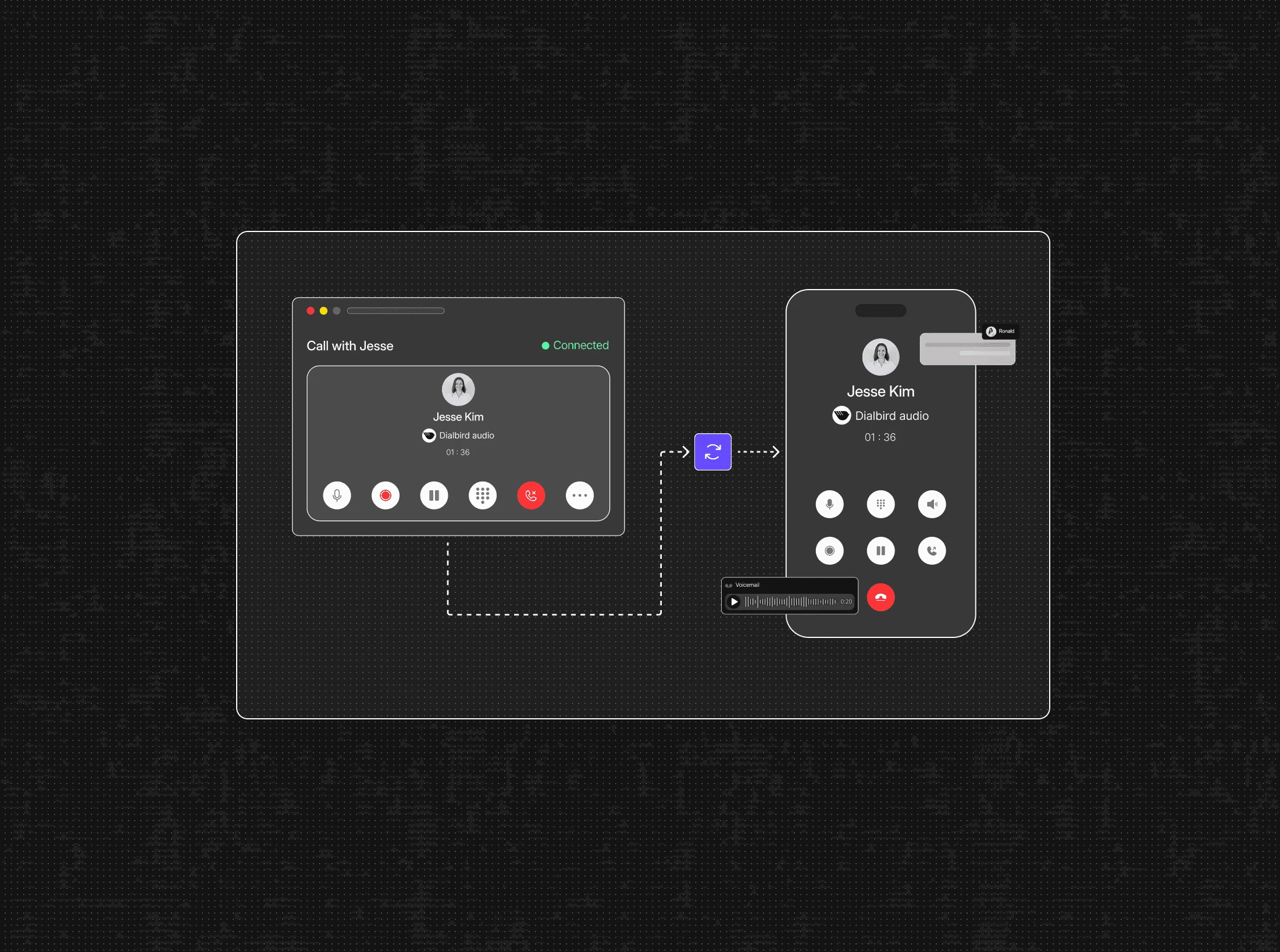
Run every location from
one connected phone system

Manage from one workspace

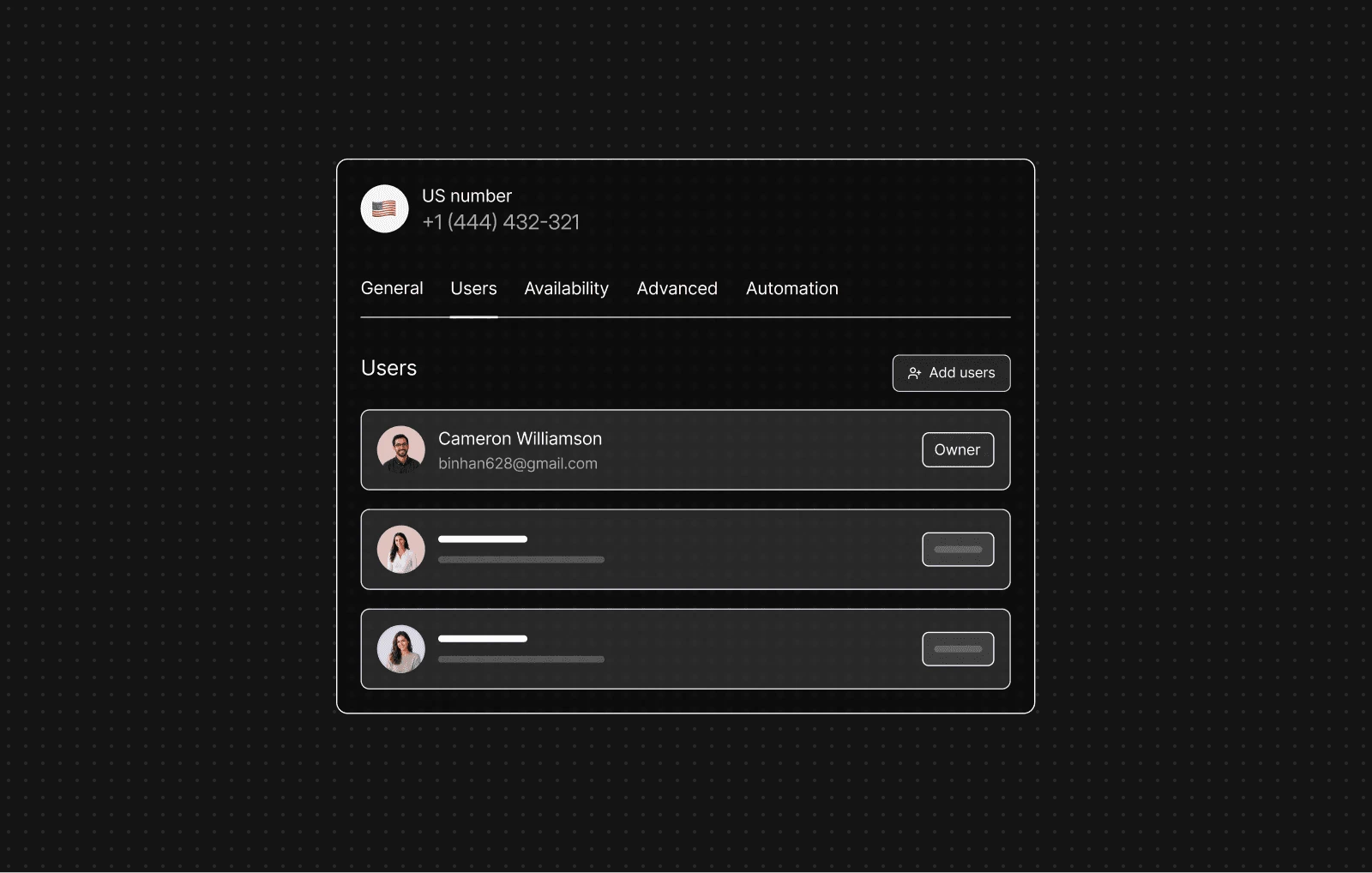
Manage numbers, users, permissions, and call settings for every branch in one place, so your central team can maintain consistency while local teams stay focused on serving customers.
Dialbird managing users, permissions, phone numbers, and call settings for multiple business locations from one shared workspace.
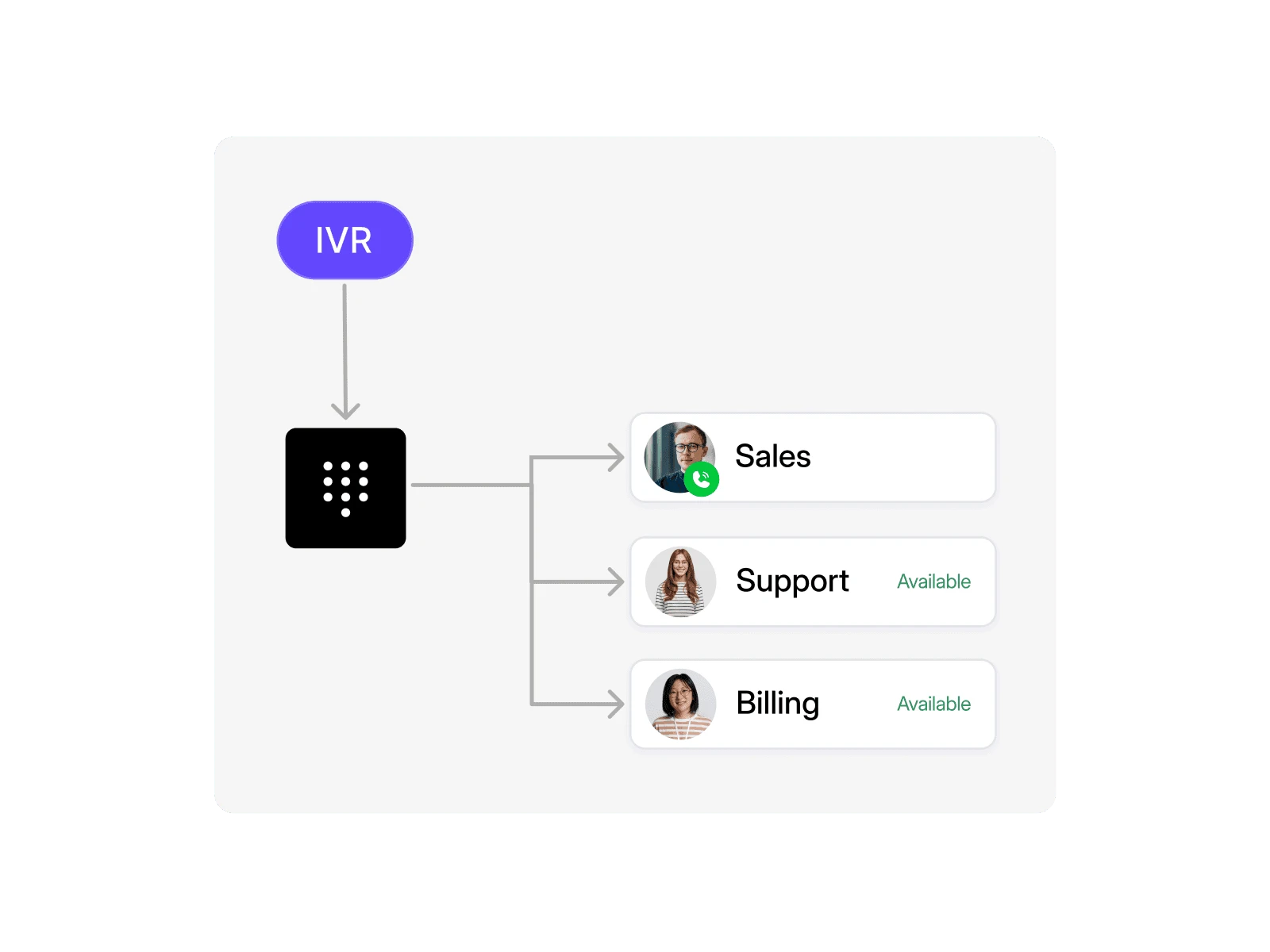
Dialbird AI automating routine calls, answering common questions, collecting caller details, and routing conversations across multiple locations.

Automate routine communication

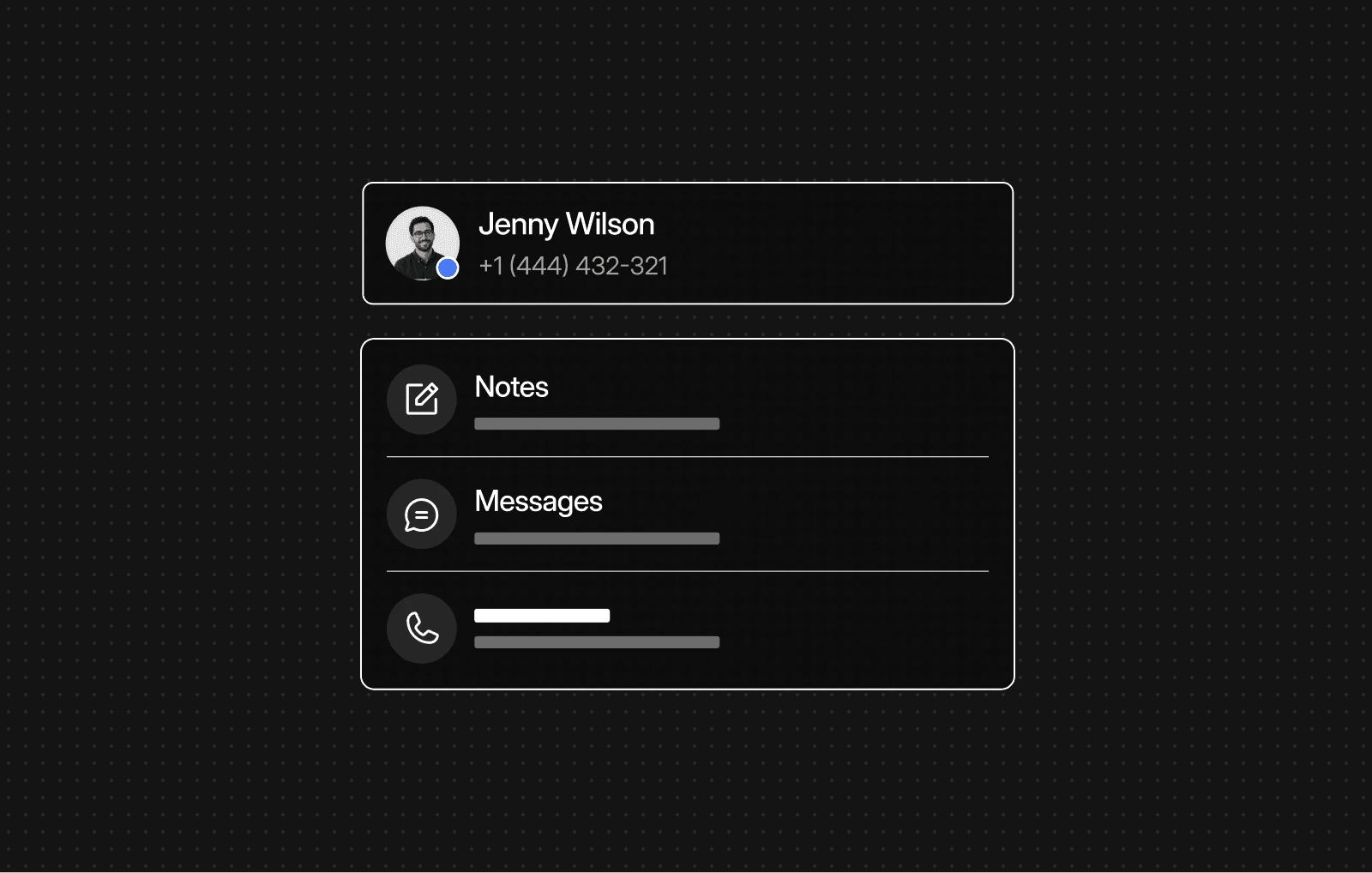
Keep customer context connected

Use AI and automated workflows to answer common questions, collect caller details, send follow-ups, and reduce repetitive work across every branch.
Keep calls, texts, notes, and history available to the right teams across locations, helping every customer receive faster and more informed support.

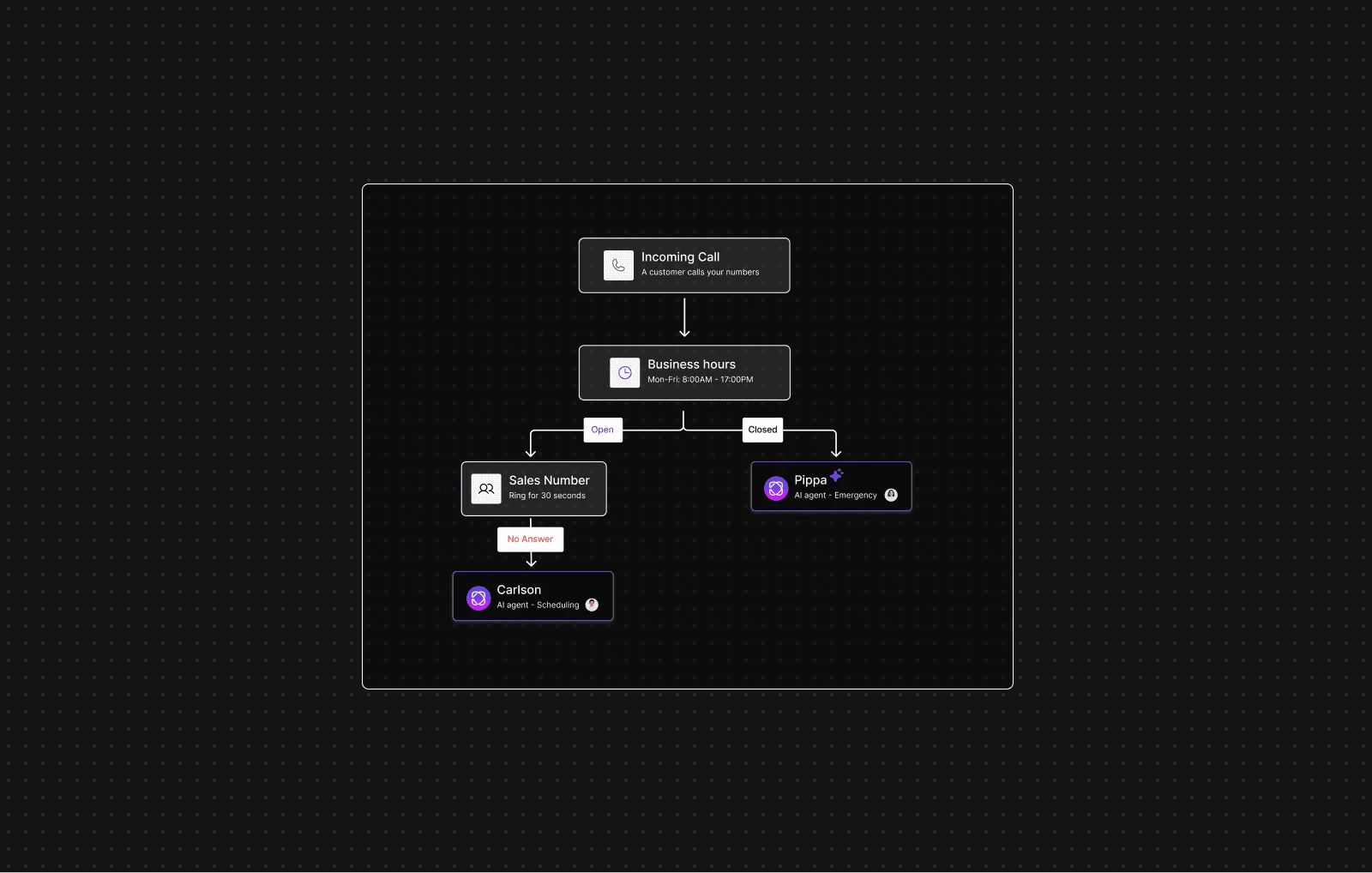
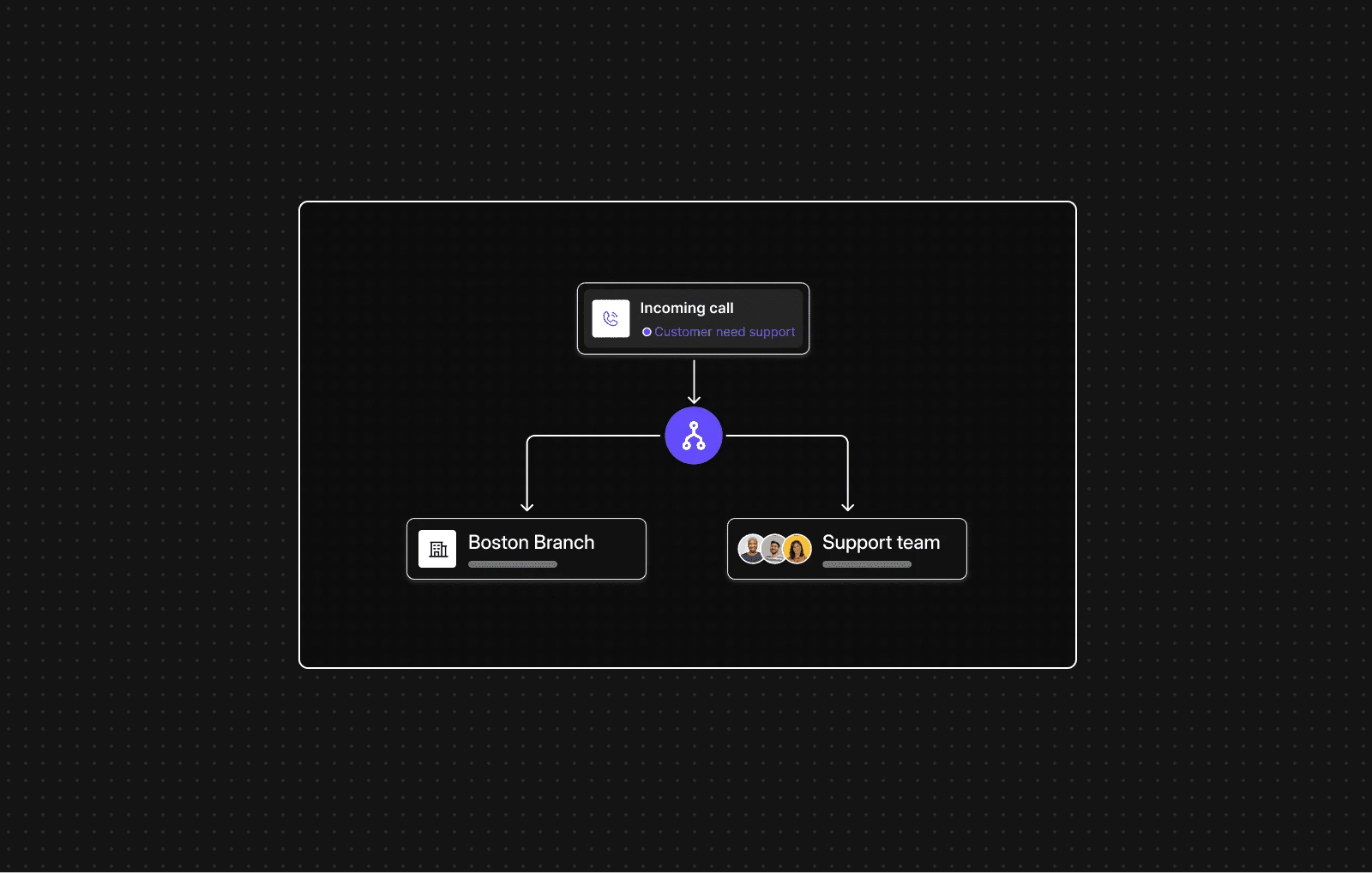
Send every call to the right place

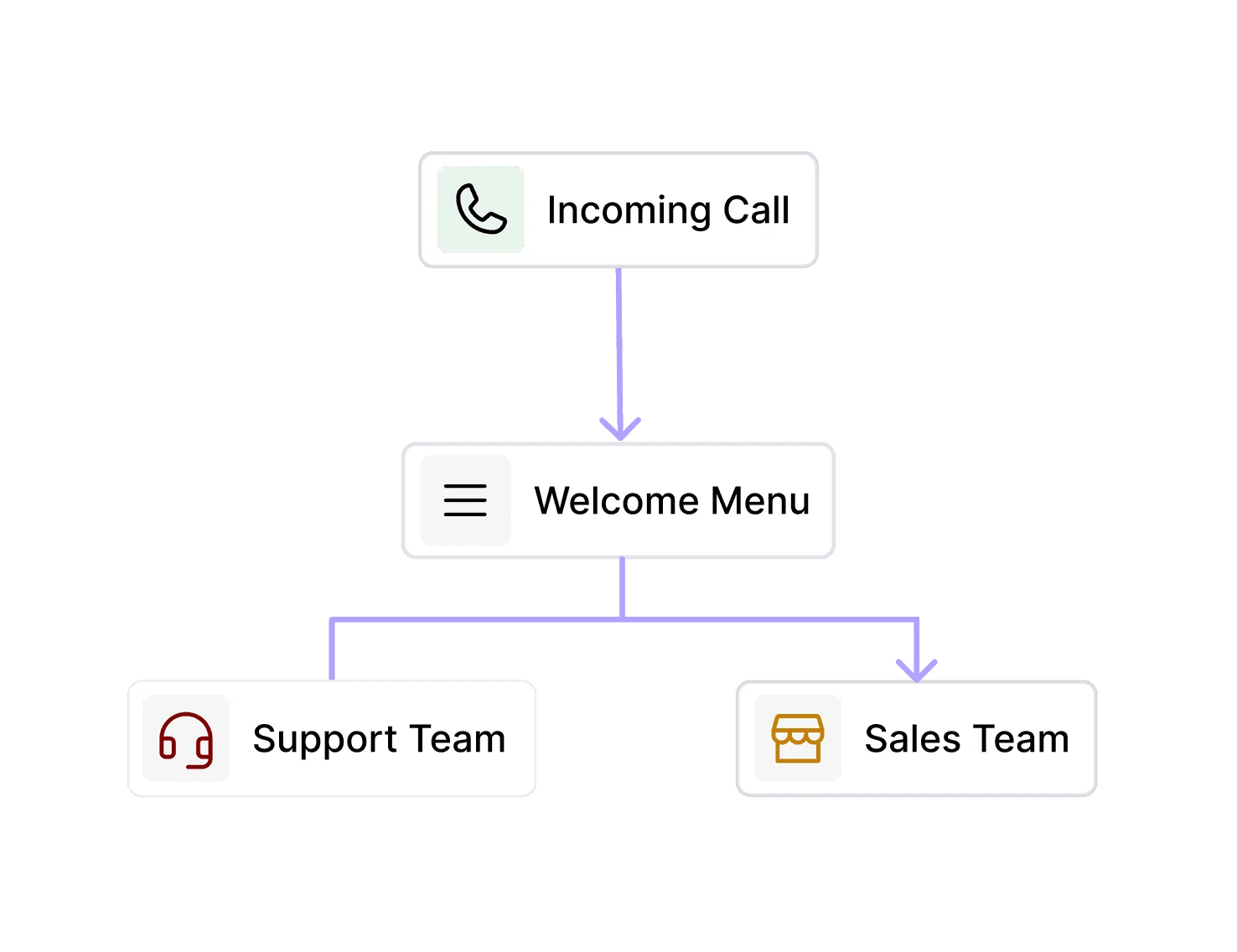
Route callers to the right location, department, or teammate based on your rules, business hours, availability, and the specific needs of each customer.
Dialbird routing incoming calls to the right business location, department, or team based on rules and availability.
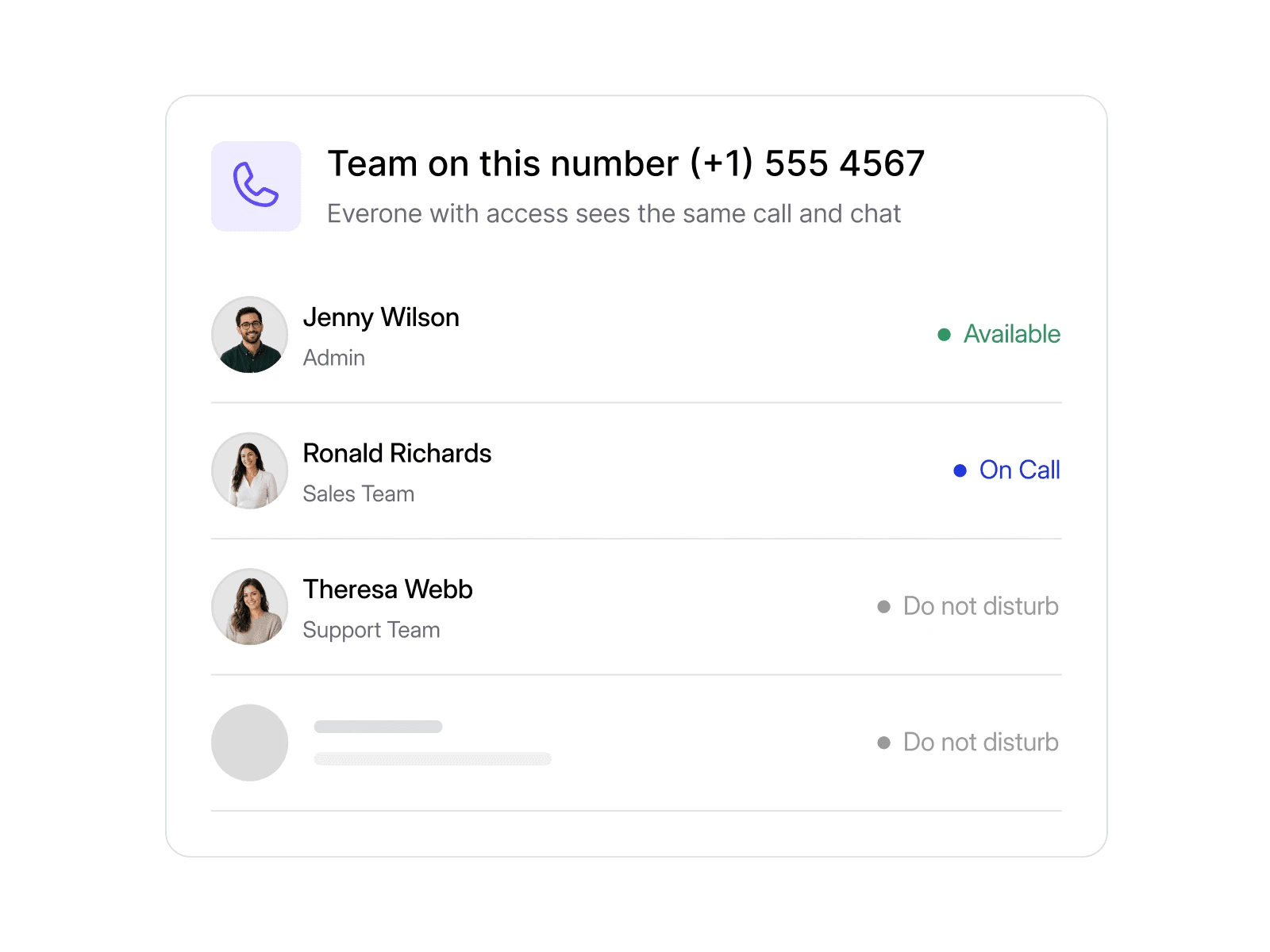
Dialbird keeping customer calls, messages, notes, and history connected so teams across locations share the same context.

Keep customer context connected

Give your agent the knowledge it needs

Automate routine communication

Keep calls, texts, notes, and history available to the right teams across locations, helping every customer receive faster and more informed support.
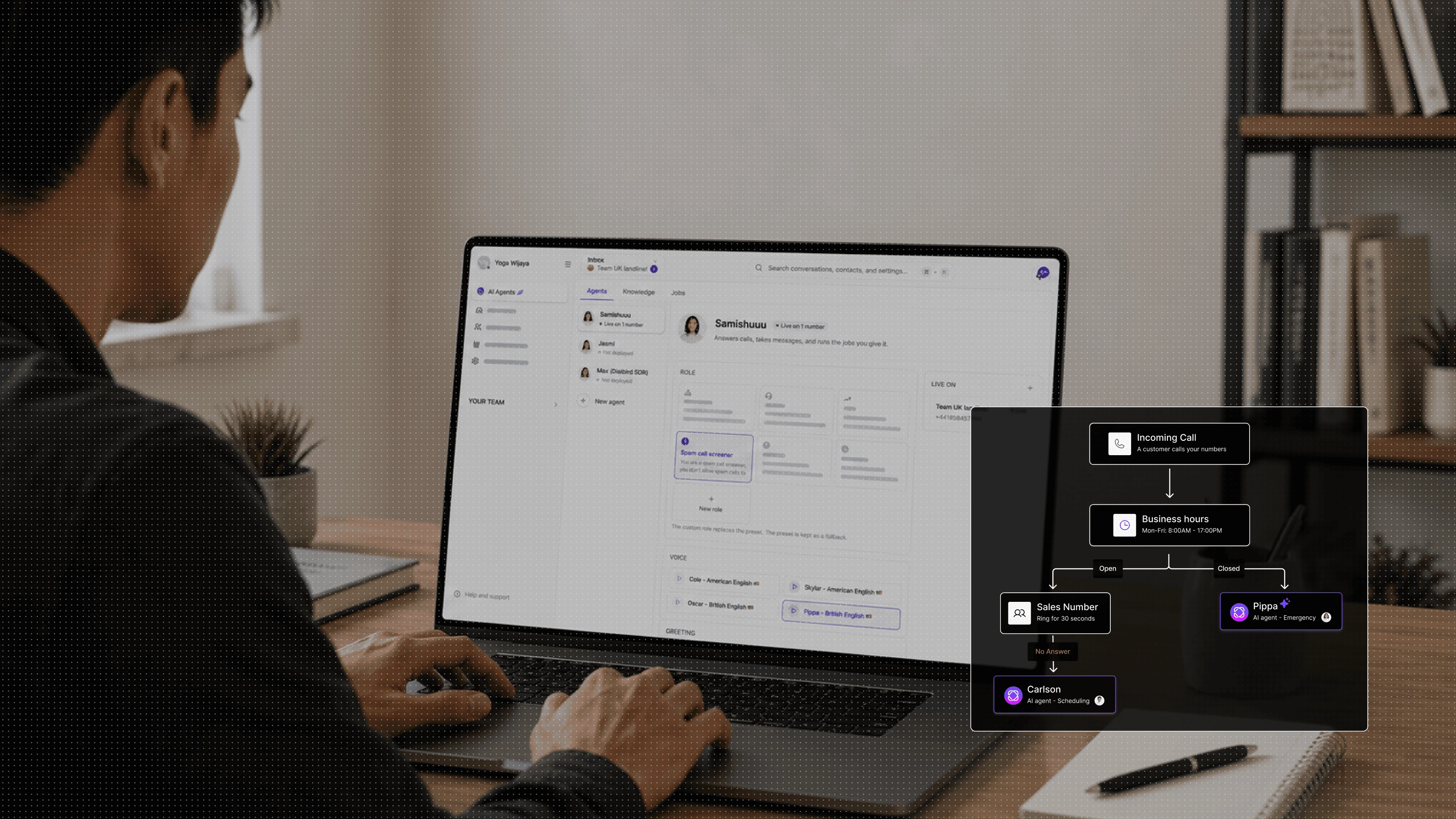
Use AI and automated workflows to answer common questions, collect caller details, send follow-ups, and reduce repetitive work across every branch.

Route every caller to the right location

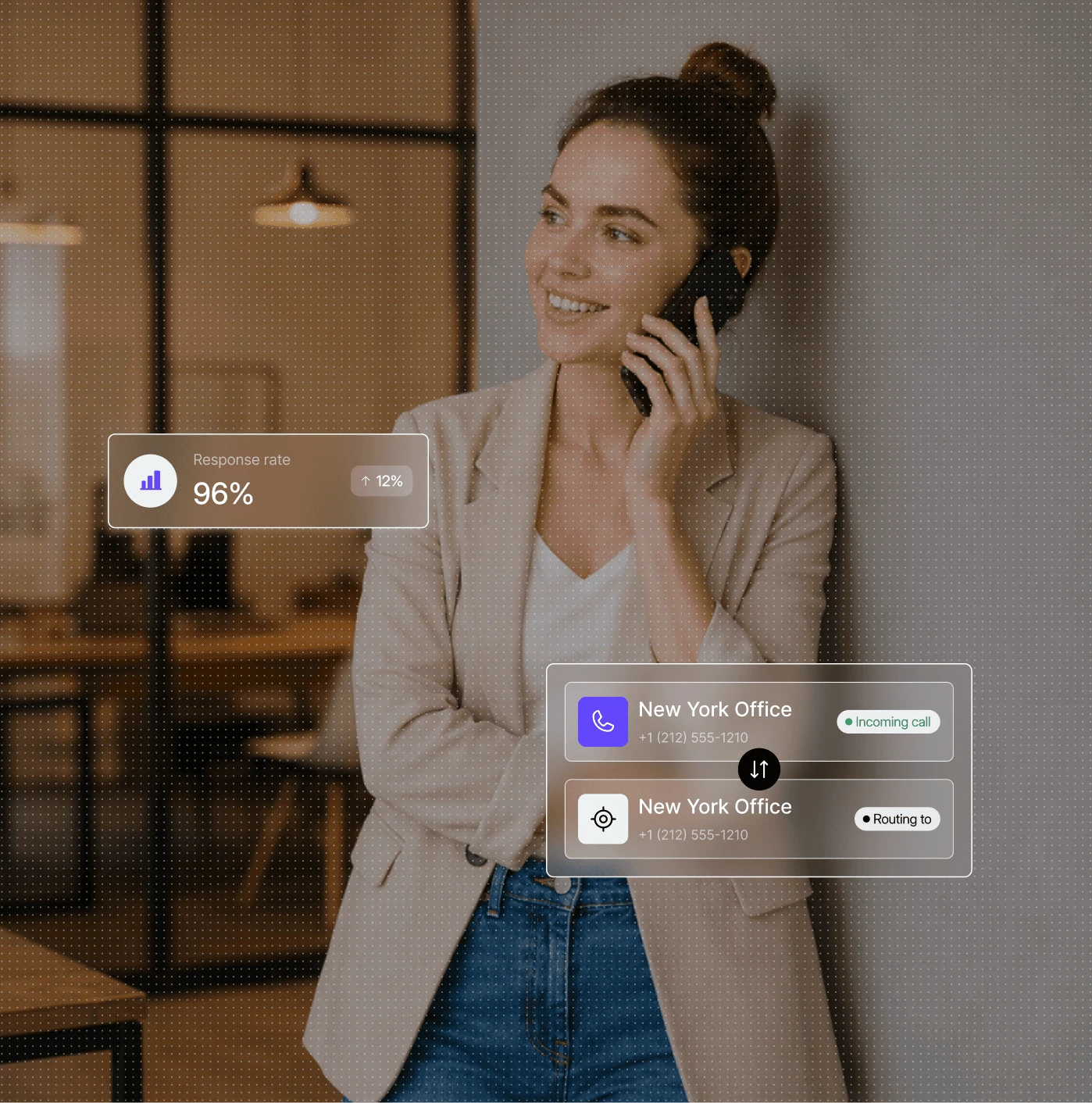
Dialbird multi-location phone system showing a team managing customer conversations while AI call routing directs callers to the right location.

1

Set the routing logic

Choose how AI should identify locations, teams, or caller needs.

2

Add location knowledge

Give AI access to branch details, hours, services, and FAQs.

3

Add AI to the call flow

Let AI answer first, then route callers based on what they need.

4

Go live across locations

Use the same AI setup across multiple business numbers and branches.

Pick a number. Start calling. Dialbird is that simple.

Local, mobile, and toll-free numbers. Live in minutes, no setup required.

The problems multi-location
teams know too well

Before Dialbird

Different phone systems at every location

Different phone systems at every location

Calls bouncing between branches

Calls bouncing between branches

Customer history stuck with one team

Customer history stuck with one team

No clear view across locations

No clear view across locations

Manual changes for every branch

Manual changes for every branch

Inconsistent customer experience

Inconsistent customer experience

After Dialbird

One system connecting every location

One system connecting every location

Calls routed directly to the right branch

Calls routed directly to the right branch

Customer context available across teams

Customer context available across teams

Full visibility from one workspace

Full visibility from one workspace

Changes managed centrally in minutes

Changes managed centrally in minutes

A consistent experience everywhere

A consistent experience everywhere

Ready to try Dialbird?

Ready to try Dialbird?

The next generation of business communication. Bring all your calls and messages together in dedicated inboxes, and scale with AI and automation.

Frequently Asked Questions

Frequently Asked Questions

How do I manage multiple locations in DialBird?

Manage numbers, users, routing, and conversations across every location from one shared workspace.

Does each location get its own phone number?

Yes. Each branch can use its own local or business number while everything stays connected under one system.

What happens when a customer calls the wrong location?

Calls can be routed automatically based on location, business hours, availability, or the caller’s selection.

Do different branches need the same call setup?

No. Each location can have its own business hours, routing logic, and workflows.

How much visibility does head office have?

You can see calls, messages, and team activity across locations without checking each branch separately.

What if a customer moves between locations?

Their calls, texts, notes, and conversation history stay together, so the next team has the context they need.

What happens when one branch is unavailable?

Calls can move to another location, teammate, voicemail, or AI depending on your call flow.

Is it easy to add new locations later?

Yes. Add new numbers, users, and routing rules as the business grows without rebuilding the system.

Dialbird company logo

The next-gen business phone system

© 2026 Dialbird, a product of Ramo Technologies LLC. All rights reserved.

Dialbird LinkedIn page
Dialbird Facebook page
Dialbird Reddit community
Dialbird X (twitter) account

Dialbird

Product

Solutions

Resources

Download

Company

Dialbird company logo