Give every customer a better support experience

Keep calls, texts, and customer context in one place so your team can respond faster and pick up conversations without making customers repeat themselves.
Try for free

Set up in minutes

Works on staff mobiles

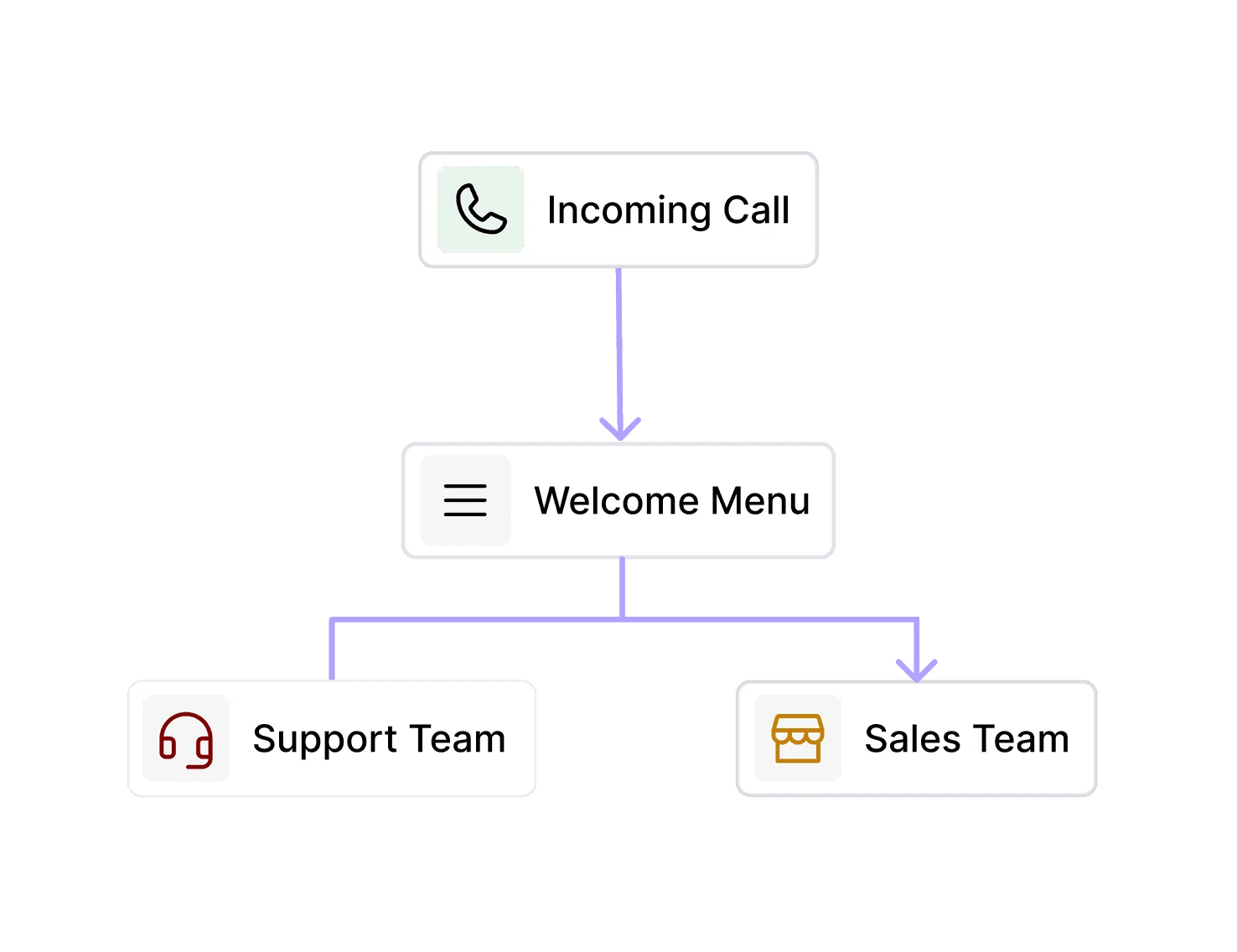
DialBird IVR system routing customer calls to the right department with an automated phone menu.
Trusted by over 500+ businesses
  • dialbird customer logo of tunic pay
  • dialbird customer logo of posthog
  • dialbird customer logo of StackOne
  • dialbird customer logo of Worldwide clinical trials
  • dialbird customer logo of Kope
  • dialbird customer logo of tunic pay
  • dialbird customer logo of posthog
  • dialbird customer logo of StackOne
  • dialbird customer logo of Worldwide clinical trials
  • dialbird customer logo of Kope
  • dialbird customer logo of tunic pay
  • dialbird customer logo of posthog
  • dialbird customer logo of StackOne
  • dialbird customer logo of Worldwide clinical trials
  • dialbird customer logo of Kope

Why customer support teams choose dialbird

Keep conversations together

Calls and texts stay connected, giving your team the context they need before responding.

Route customers to the right person

Send incoming calls to the right teammate or department without unnecessary transfers.

Share the workload

Let the whole support team work from shared numbers instead of relying on one person or device.

Stay available after hours

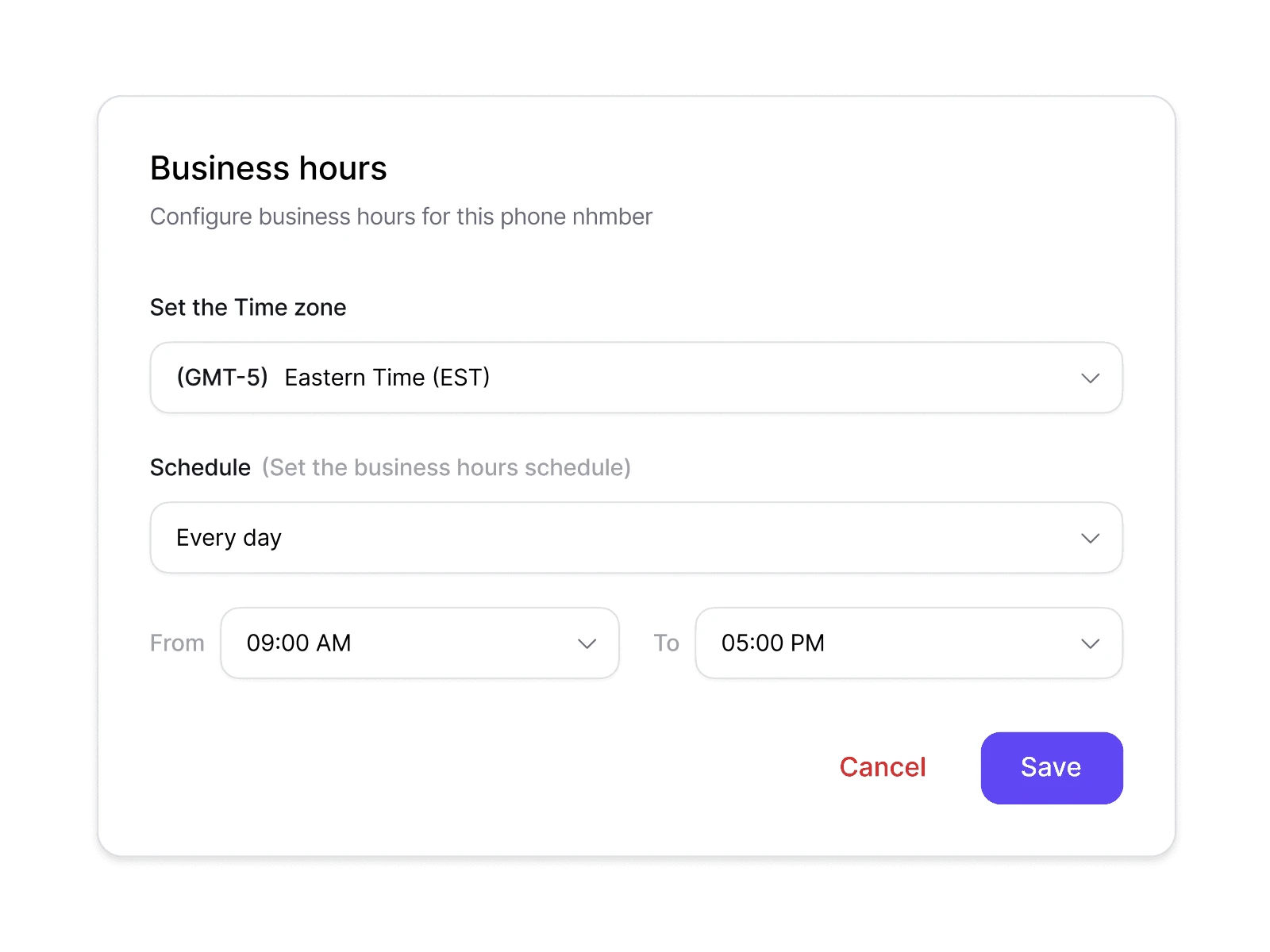
Set business hours and routing rules so customers always know what happens when your team is offline.
What changes when the
whole team has the context

The front-desk problems every dental practice knows

Before Dialbird

Calls are split across different phones

Calls are split across different phones

Customer history is hard to find

Customer history is hard to find

Follow-ups depend on individual teammates

Follow-ups depend on individual teammates

Busy periods lead to missed conversations

Busy periods lead to missed conversations

Customers repeat the same information

Customers repeat the same information

It’s unclear who should respond next

It’s unclear who should respond next

After Dialbird

Calls and texts stay in one shared workspace

Calls and texts stay in one shared workspace

Customer context is easy to pick up

Customer context is easy to pick up

Follow-ups stay visible to the team

Follow-ups stay visible to the team

Incoming conversations are easier to manage

Incoming conversations are easier to manage

Customers can continue without starting over

Customers can continue without starting over

Everyone knows what needs attention

Everyone knows what needs attention

Let AI handle the routine,
so your team can focus on the customer

1

Set the routing logic

Choose how AI should identify locations, teams, or caller needs.

2

Add location knowledge

Give AI access to branch details, hours, services, and FAQs.

3

Add AI to the call flow

Let AI answer first, then route callers based on what they need.

4

Go live across locations

Use the same AI setup across multiple business numbers and branches.

Give every teammate the context to help

Welcome customers the right way

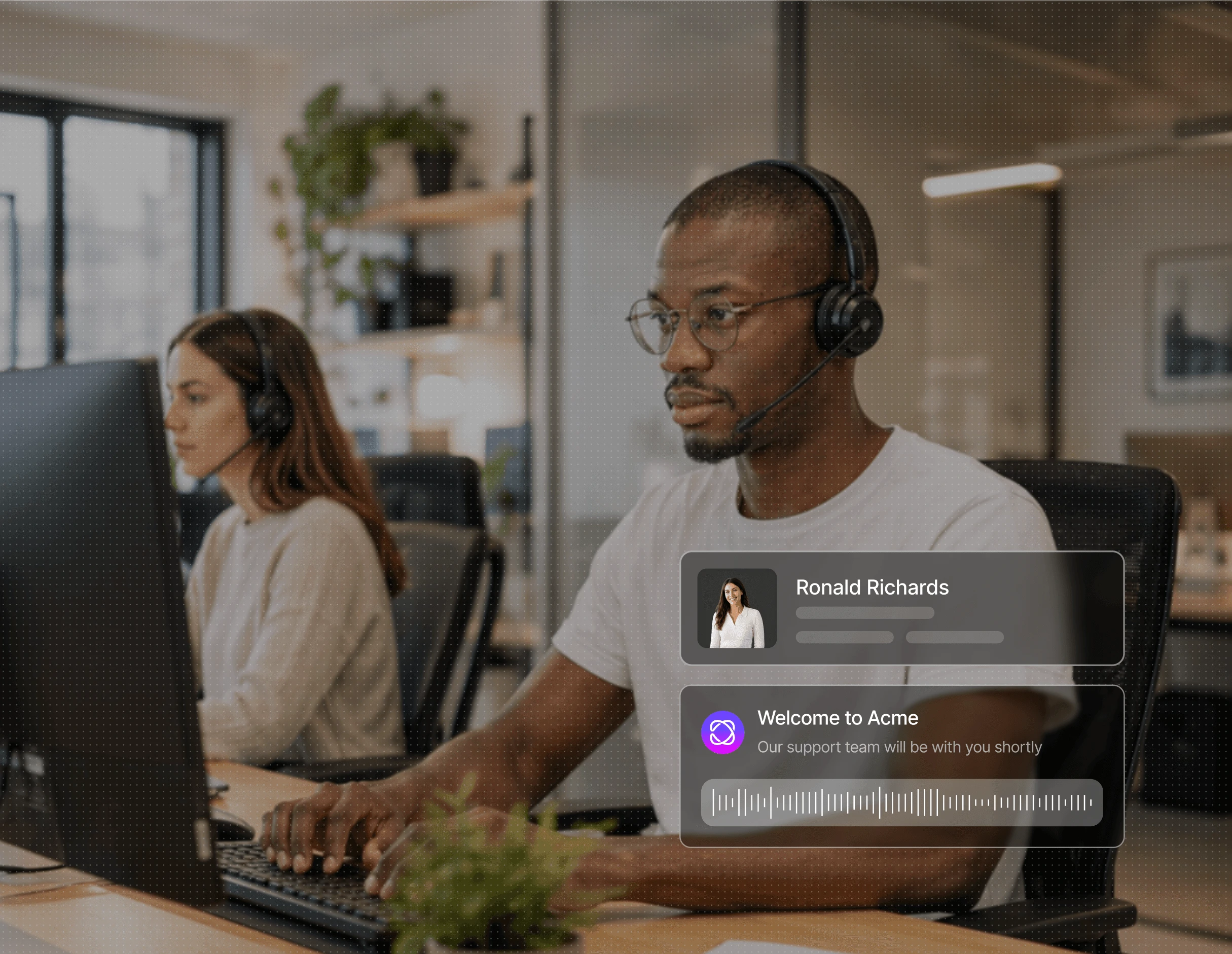
Create custom greetings that match your brand, set the right tone, and let callers know what to expect before they reach your team.
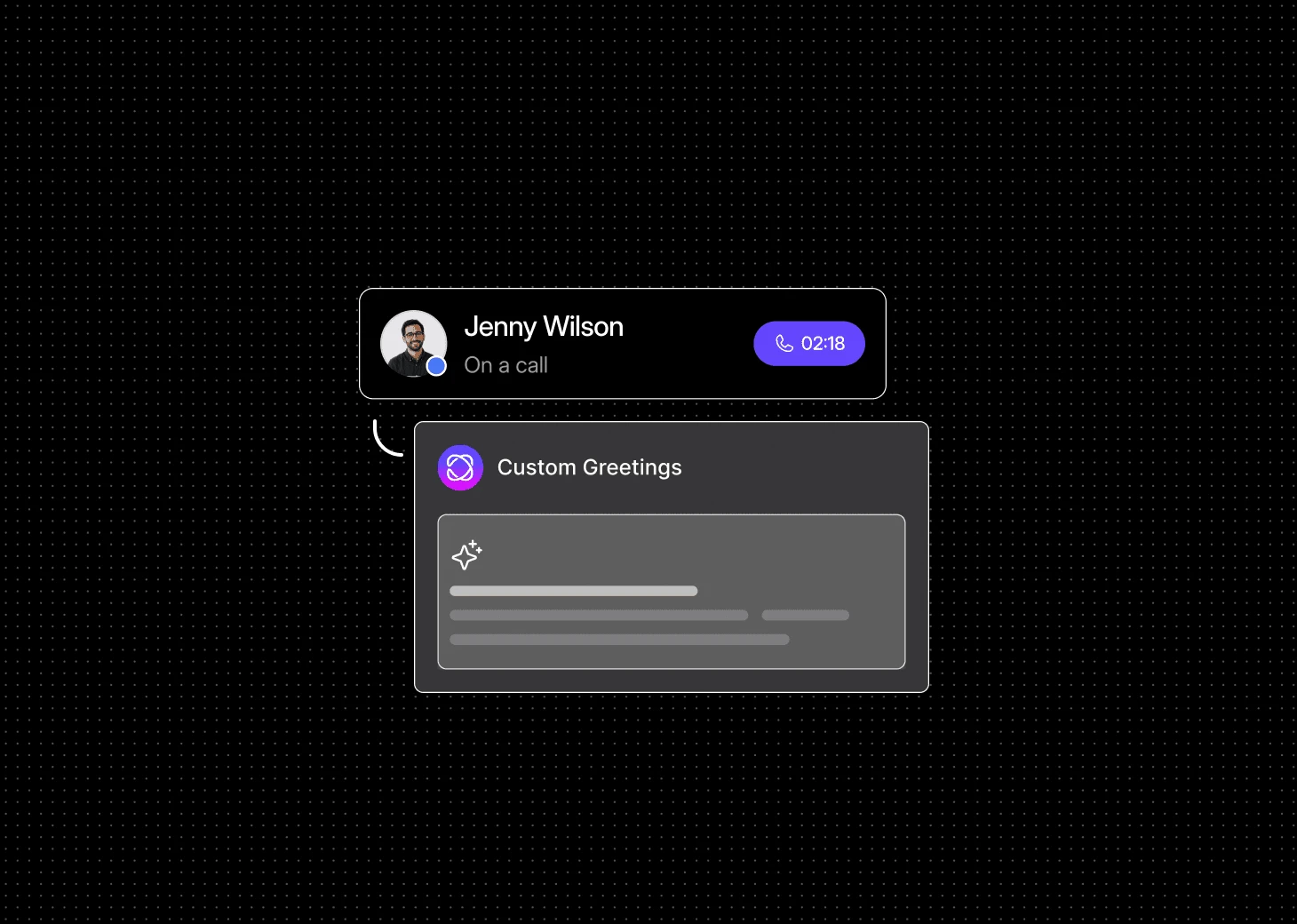
Keep every conversation in one place
Set clear support hours
Handle routine calls automatically
Welcome customers the right way

Create custom greetings that match your brand, set the right tone, and let callers know what to expect before they reach your team.

Keep every conversation in one place
Set clear support hours
Handle routine calls automatically
Welcome customers the right way

Create custom greetings that match your brand, set the right tone, and let callers know what to expect before they reach your team.

Keep every conversation in one place
Set clear support hours
Handle routine calls automatically

What a modern phone system does for a firm

-

30

%

Missed Conversations

0

x

Faster Handoffs

-

20

%

Follow-up time

90

%

Team visibility

Pick a number. Start calling. Dialbird is that simple.

Local, mobile, and toll-free numbers. Live in minutes, no setup required.

Frequently Asked Questions


Frequently Asked Questions


How does DialBird help customer support teams?

DialBird brings calls, texts, shared numbers, and conversation history into one phone system, making it easier for teams to manage customer conversations together.

What happens when another teammate needs to take over a conversation?

They can review the available conversation history before responding, helping them continue from where the previous teammate left off.

Does the whole support team need separate phone numbers?

No. Multiple teammates can work from a shared business number while keeping their personal numbers separate.

How are incoming support calls routed?

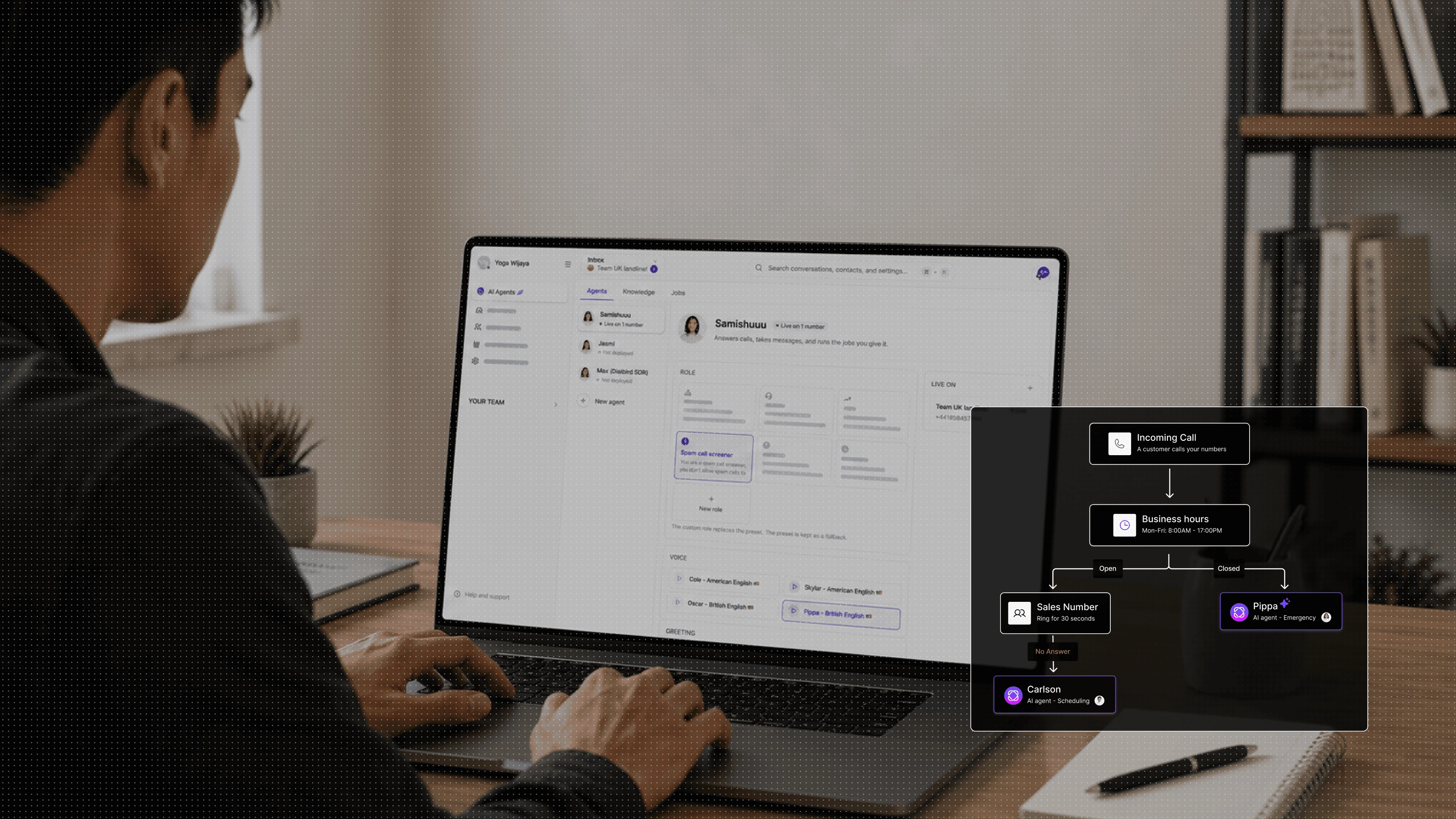
You can build call flows that route customers based on teams, availability, business hours, or other steps in your workflow.

What happens to calls outside business hours?

You decide. Calls can follow a different route, go to voicemail, or use another flow based on how your team operates.

Will customers know which teammate is responding?

Your team can manage conversations through the shared business number, while internally keeping track of who is handling each conversation.

Does DialBird support both calls and text messages?

Yes. Your team can manage business calls and messaging within the same phone system.

Is DialBird suitable for growing support teams?

Yes. You can add team members, adjust routing, and expand your phone setup as your support operation grows.

Dialbird company logo

The next-gen business phone system

© 2026 Dialbird, a product of Ramo Technologies LLC. All rights reserved.

Product

Download

Company

Resources

Features

Business Solution

Virtual Phone Numbers

Dialbird LinkedIn page
Dialbird Facebook page
Dialbird Reddit community
Dialbird company logo