No credit card required
Set up in under 5 minutes
Set up in under 5 minutes



Route callers to the right attorney or practice area.
Text appointment and intake reminders to clients.
Share one number so the whole firm can answer.
Build multi-level IVR menus without technical knowledge
Give every caller a professional first impression
Update your call flow in minutes from an easy visual builder
Trusted by over 500+ businesses





Before Dialbird
New clients hit voicemail and call the next firm.
Calls ring one line while others sit free.
After-hours enquiries vanish with no message.
No shared record of who called or about what.
Intake details get lost between people.
Attorneys hand out personal mobiles to keep up.
After Dialbird
A visual call flow sends each caller to the right attorney or practice area.
Calls ring the whole team, so the first free person answers.
Appointment and intake reminders go out by text automatically.
After hours, callers reach voicemail or an on-call message.
One shared inbox keeps the full history of every client call and text.
One firm number covers everyone, with no personal mobiles.


Add an AI colleague to your phone lines
1
Dialbird’s AI agent picks up calls
2
books and reschedules appointments
3
answers the routine questions like hours and directions
4
and warm-transfers anything that needs a person to your front desk
Answers and routes
Books appointments
Warm-transfers to your team
It works only on the calls and lines you switch it on for
How Dialbird keeps client communication moving
Route calls to the right person
Send new enquiries to the right attorney, practice area, or available team member.
Route leads faster
Direct new enquiries to the right agent based on location, property type, or availability.
Stay responsive after hours
Handle missed calls with voicemail, routing rules, and automatic replies when the office is closed.


What a modern phone system does for a firm

%
Fewer missed calls
hrs
Saved each week
%
Calls answered first time
mins
To get set up
Everything a firm needs to answer every client
Smart Call Routing
Direct new client calls to the correct attorney, practice area, or intake team based on the caller’s needs.


Shared Client Inbox
Manage calls, texts, voicemails, and follow-ups from one shared inbox your entire legal team can access.
Automated Intake Follow-ups
Automatically send consultation confirmations, intake reminders, and missed-call responses by text.


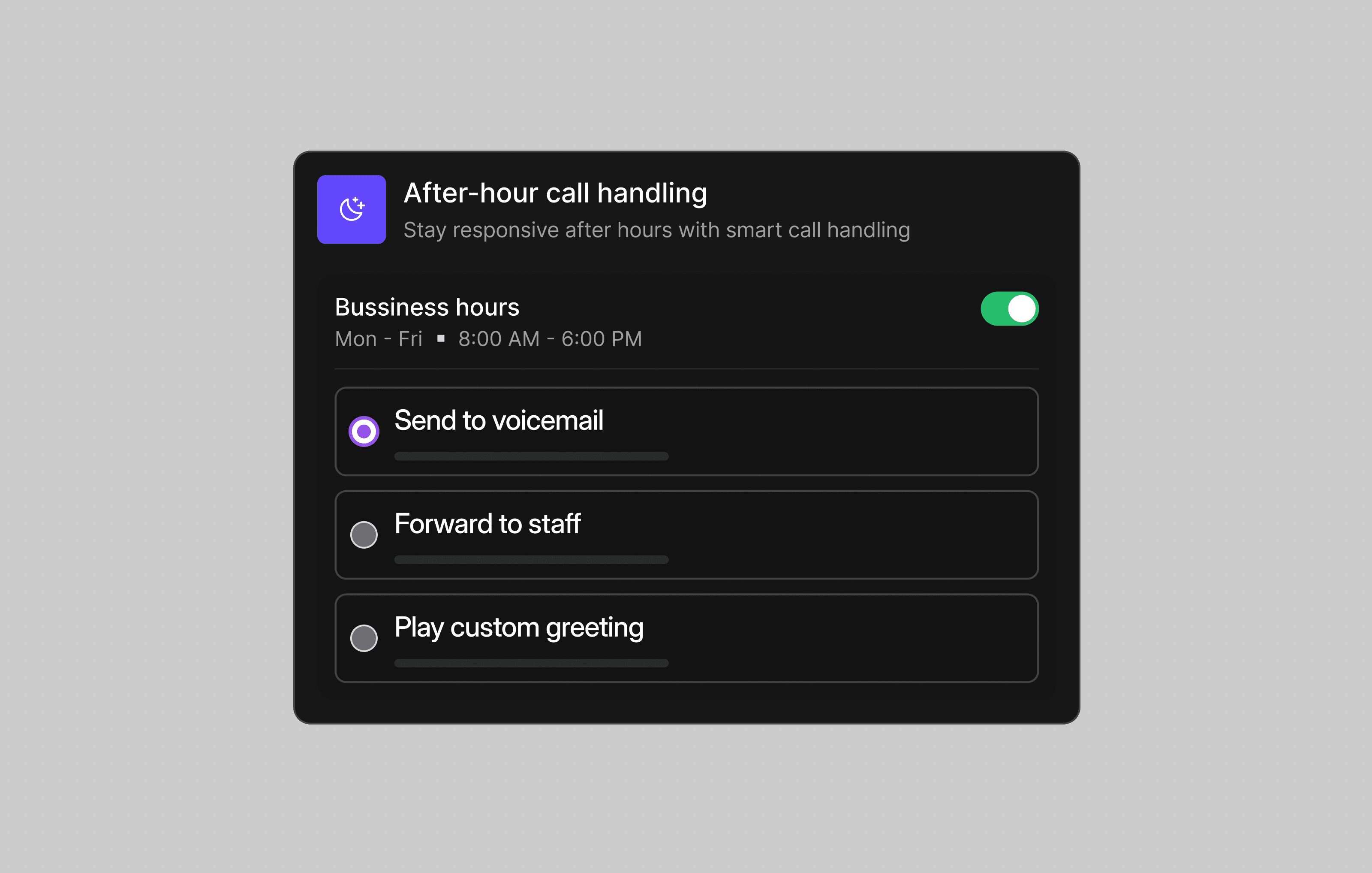
After-Hours Call Handling
Use business-hour rules, voicemail, recorded greetings, or call forwarding to handle urgent calls after hours.
Win more new clients
Answer more calls with IVR menus, smart routing, and a whole team sharing one number.
Never miss an intake
Text reminders and quick intake follow-ups keep new clients from slipping away.
One organized inbox
Every call, text, and voicemail for the firm lives in one shared place.
Cover after hours
Business-hours rules send out-of-hours callers to voicemail or an on-call message.
Pick a number. Start calling. Dialbird is that simple.
Local, mobile, and toll-free numbers. Live in minutes, no setup required.
Essential features for your business


Can Dialbird route callers to the right attorney?
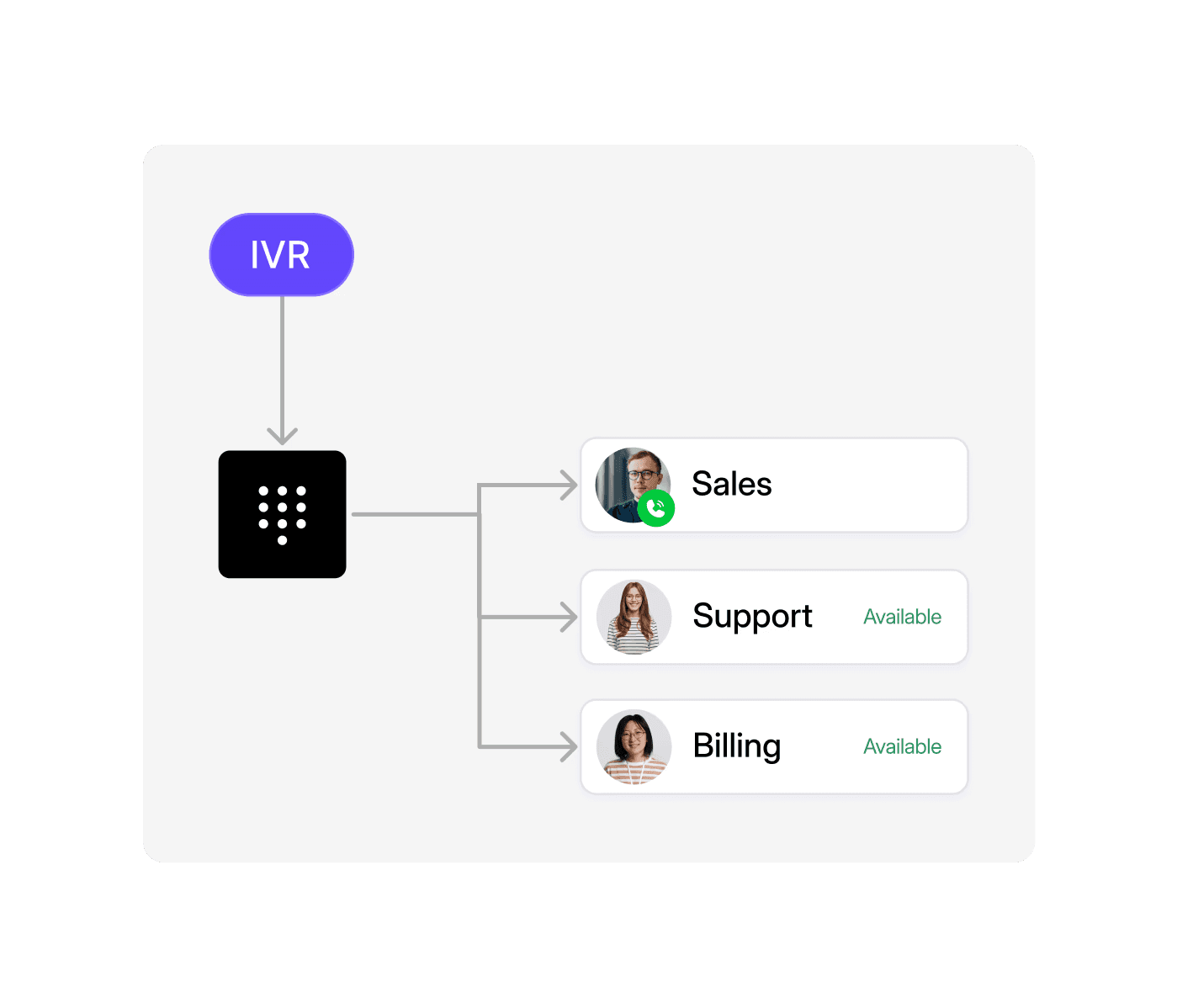
Yes. Build a visual call flow with a menu that sends callers to the right practice area or person, and rings the whole team so the first free person answers.
Can I send appointment and intake reminders by text?
Yes. Dialbird numbers send and receive SMS, so you can text reminders and intake follow-ups, and replies come straight back to your shared inbox.
What happens to calls after hours?
Add a business hours step to your call flow. During opening times calls ring your team, and outside them callers hear an on-call message or go to voicemail.
Can the whole firm share one number?
Yes. A Dialbird number is a shared inbox, so everyone you give access to sees the same calls and texts and can pick up where a colleague left off.
Can we keep our existing firm number?
Yes. You can port your existing number to Dialbird for free, or start with a new local, mobile, or toll-free number.
Does it work on staff mobiles?
Yes. Dialbird runs on web, iOS, and Android in sync, so staff can answer the firm line from a computer or their phone without giving out a personal number.
How long does it take to set up?
Most firms are live in minutes. Pick or port a number, build your call flow, and start taking calls the same day, with no new hardware.